
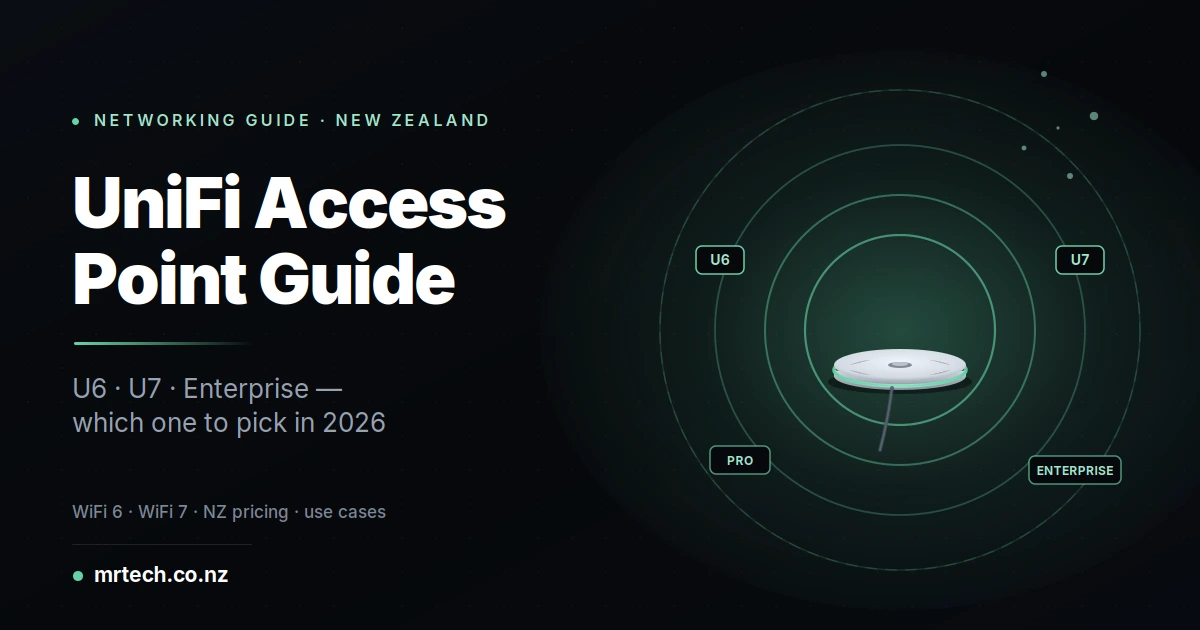
You’ve decided on Ubiquiti UniFi. That was the easy part. Now you’re staring at a lineup of 12+ access point models U6 Lite, U6+, U6 Long-Range, U6 Pro, U6 Enterprise, U7 Lite, U7 Pro, U7 Pro Max, U7 Enterprise, plus the in-wall and outdoor variants with NZD prices ranging from $170 to over $600. The spec sheets don’t help, and neither does the r/HomeNetworking rabbit hole.
UniFi Access Point Buyer’s Guide NZ
This UniFi access point buyer’s guide for NZ 2026 cuts through the noise. It’s a decision framework matched to real New Zealand use cases apartments, family homes, small offices, restaurants, schools with honest opinions on which models earn their premium and which don’t. You’ll leave with a specific model in mind, not more questions.
The 30-second answer which UniFi AP for which situation
For most NZ small businesses and homes, the U6 Pro or U7 Pro covers everything ($300–$450 NZD). Larger properties need the U6 Long-Range or two APs. High-density venues (hospitality, education, retail) justify the Enterprise tier. Budget home users can start with the U6 Lite or U7 Lite.
Read on for the reasoning but if you just want a starting point, those four names cover 90% of NZ deployments.
WiFi 6 vs WiFi 7 in 2026 should you future-proof?
WiFi 7 is genuinely faster than WiFi 6, but the practical benefit today depends entirely on how many WiFi 7 client devices you actually own. Phones, laptops, and TVs are still mostly WiFi 6/6E. If you’re deploying now for a 5–7 year lifespan, WiFi 7 is worth the premium; if you’re solving a coverage problem this weekend, WiFi 6 saves real money.
The 6GHz band in NZ status in 2026
New Zealand allocated the 5925–6425 MHz band for WiFi 6E and WiFi 7 in 2022, giving users 500 MHz of clean spectrum. Both WiFi 6E and WiFi 7 access points can use this band legally, and it’s largely uncongested compared to 2.4 GHz and 5 GHz.
When WiFi 7’s features actually matter
WiFi 7 brings Multi-Link Operation (MLO) devices can transmit on multiple bands simultaneously plus 320 MHz channels (double WiFi 6E’s 160 MHz) and 4K QAM modulation. These matter most for:
- High-density environments with 30+ simultaneous clients
- Home labs pushing multi-gigabit throughput to specific clients
- Future-proofing installations you won’t touch for 5–7 years
When WiFi 6 is still the right buy
WiFi 6 makes sense for:
- Smaller installations where 1 Gbps of real-world throughput is plenty
- Budget-conscious deployments
- Homes with mostly older client devices (WiFi 5 or 6 phones and laptops)
- Fast-turnaround installs where WiFi 6 stock is available cheaper today
The U6 Lineup (WiFi 6) explained
Ubiquiti’s WiFi 6 range covers everything from single-room apartments to multi-room commercial spaces. Prices sit roughly 20–30% below their WiFi 7 equivalents, making them the value tier for 2026.
U6 Lite (~$170 NZD)
The entry-tier WiFi 6 AP. 2×2 MU-MIMO dual-band, up to 1.5 Gbps aggregate. Works well for small apartments or single-room deployments. Under 30 concurrent clients recommended.
U6+ (~$200 NZD)
Minor upgrade over the Lite same physical form factor, marginally faster wireless throughput (~2.4 Gbps). Worth the extra $30 if you’re stretching client count into the 30–50 range.
U6 Mesh
Same core as the U6 Pro but designed for outdoor and mesh backhaul scenarios. IP54-rated, suitable for wall or pole mounting outside. If you need to extend WiFi to a sleepout, garage, or workshop 20 metres from the main building, this is the model.
U6 Long-Range (~$280 NZD)
4×4 MU-MIMO dual-band WiFi 6, purpose-built for maximum coverage per AP. Up to 122 metres of usable range in open environments, up to ~445 m² of indoor coverage. Best value for large NZ homes or lifestyle properties where you’d otherwise buy two Pros.
U6 Pro (~$300 NZD)
The sweet spot for most SMB and prosumer installs. 4×4 MU-MIMO WiFi 6, up to 5.3 Gbps aggregate, handles 200+ concurrent clients per AP under normal load. If you don’t know which UniFi to buy, this is usually the right answer.
U6 Enterprise (~$500 NZD)
Tri-band with 6 GHz support (WiFi 6E). Designed for high-density venues where you need every scrap of clean spectrum. Overkill for most homes; correct for schools, conference rooms, or crowded offices.
The U7 Lineup (WiFi 7) explained
Ubiquiti’s WiFi 7 range launched through 2024 and matured in 2025. Prices sit above the U6 equivalents, but the gap narrows for models with real 6 GHz utilisation.
U7 Lite (~$220 NZD)
Entry-tier WiFi 7. Similar deployment scenarios to the U6 Lite (small apartments, single-room coverage) but future-proofed for WiFi 7 client devices arriving over the next 2–3 years.
U7 Pro (~$320–$400 NZD)
6-stream tri-band WiFi 7, including 6 GHz. Up to 9.3 Gbps aggregate throughput. The current WiFi 7 sweet spot for NZ SMBs and prosumer homes. Direct upgrade path from the U6 Pro when you’re ready to invest in future-proofing.
U7 Pro Max (~$450 NZD)
Higher throughput than the Pro (8-stream configuration), better for larger deployments and homes with heavy multi-gigabit use cases (Plex servers, NAS backups, high-frame-rate gaming).
U7 Pro Wall / U7 IW (In-Wall)
In-wall variants with Ethernet passthrough ports the AP mounts into a wall box replacing an Ethernet outlet, and offers additional Ethernet ports on its face. Standard fit for hotels, hospitality, offices where every desk needs a wired port plus WiFi.
U7 Enterprise (~$600+ NZD)
High-density venues. Conference centres, schools, retail anywhere you have 50+ simultaneous clients per AP. The Enterprise tier is where you pay for handling client concurrency and roaming smoothly, not raw speed.
U7 Outdoor
IP54-rated, weather-resistant, purpose-built for outdoor deployment. Necessary if you’re covering courtyards, gardens, or industrial yards; overkill for eaves-protected outdoor placement.
How many access points do you actually need?
Coverage depends on floor area AND wall count AND client density not just square metres. Rough NZ rules of thumb: one AP per 90–140 m² of open-plan indoor space; one AP per room in multi-wall houses; one AP per 30–50 users in commercial deployments.
Home coverage sizing
- 100 m² apartment or townhouse: 1 × U6 Long-Range or U7 Pro (single AP)
- 200 m² family home (single storey): 1 × U6 Long-Range if open plan; 2 × U6 Pro if walled
- 200 m² family home (two storey): 2 × U6 Pro (one per floor)
- 350 m² lifestyle property: 2–3 × U6 Long-Range or 2–3 × U7 Pro
SMB commercial sizing
- Small office (10–20 staff, 100–150 m²): 1 × U6 Pro or U7 Pro
- Restaurant / cafe (30–50 diners): 1–2 × U6 Pro (client density matters more than area)
- Retail shop (up to 200 m²): 1 × U6 Pro
- Medium office (30–75 staff): 2–3 × U6 Pro or U7 Pro
- Warehouse (large open volume): 1–2 × U6 Long-Range or U7 Outdoor
The 5 GHz vs 6 GHz range trade-off
Higher frequencies travel shorter distances. 6 GHz reaches roughly 60–70% of the distance 5 GHz does through walls because higher-frequency signals attenuate faster. This means WiFi 6E and WiFi 7 6 GHz coverage requires slightly denser AP placement than the equivalent WiFi 5 or WiFi 6 dual-band setup. Plan for this if you’re designing a new install.
Comparison table the full 2026 lineup at a glance
| Model | WiFi | Streams | Max coverage | Recommended users | Typical NZ retail | Best for |
|---|---|---|---|---|---|---|
| U6 Lite | 6 | 2×2 | ~140 m² | Up to 30 | $170 | Small apartment / single room |
| U6+ | 6 | 2×2 | ~150 m² | Up to 40 | $200 | Small home upgrade |
| U6 Long-Range | 6 | 4×4 | ~445 m² | Up to 200 | $280 | Large home, best coverage-per-AP |
| U6 Pro | 6 | 4×4 | ~325 m² | Up to 200 | $300 | SMB sweet spot |
| U6 Enterprise | 6E | 4×4 tri-band | ~200 m² (high-density) | Up to 300+ | $500 | Schools, conference rooms |
| U7 Pro | 7 | 6-stream tri-band | ~300 m² | Up to 300 | $320–$400 | WiFi 7 sweet spot |
| U7 Pro Max | 7 | 8-stream tri-band | ~350 m² | Up to 500 | $450 | Larger installs, heavy throughput |
| U7 Enterprise | 7 | 6-stream tri-band | ~200 m² (high-density) | Up to 500+ | $600+ | Hospitality, education |
NZ-specific considerations most guides skip
Three factors matter for NZ buyers that international guides overlook.
NZD pricing and import timing
Ubiquiti’s US retail pricing rarely translates cleanly to NZD. Expect a 30–40% premium over US pricing after freight, insurance, and GST. Grey-imported units may look cheaper but arrive without local warranty support and can be delayed by customs. Local NZ retailers stock the models most in demand and offer immediate replacement under warranty.
The UniFi controller question
Every UniFi deployment needs a controller the software that manages your APs. Four options in NZ:
- Cloud Key Gen2 Plus (~$300) — dedicated hardware, small and reliable
- Dream Machine Pro (~$800) — integrated router + controller, best for pro installs
- Dream Router (~$250) — SOHO-tier, integrated for small deployments
- Self-hosted on a Raspberry Pi / Linux / Docker free but requires technical maintenance
For most NZ SMBs, the Dream Machine Pro or a Cloud Key Gen2 Plus is the right choice.
PoE injector vs PoE switch
UniFi APs are PoE-powered they need power over Ethernet, not a separate power supply. If you don’t already have a PoE switch, factor ~$40 NZD per AP for a PoE injector, or invest in a PoE switch upfront if you’re deploying 3+ APs. The full UniFi switch range at MrTech NZ includes options from 8-port SOHO models up to 24-port aggregation switches.
Warranty and RMA in NZ
Buying from a local NZ reseller puts you under Consumer Guarantees Act protection genuine warranty support with local RMA. Grey imports and marketplace resellers may leave you dealing directly with Ubiquiti’s global support, which is workable but adds friction and freight cost for defective units.
Which UniFi AP should YOU buy decision by use case
Small NZ apartment (up to 100 m²) — Single U6 Lite or U7 Lite. One AP handles the whole space.
Standard family home (100–200 m²) — Single U6 Long-Range or U7 Pro. The Long-Range wins on value; the U7 Pro adds future-proofing.
Large home / lifestyle property (200–350 m²) — 2 × U6 Long-Range or 2 × U7 Pro. Position one per level or per major zone.
Small office / retail (up to 30 users) — Single U6 Pro or U7 Pro. Client concurrency matters more than raw area.
Medium office / restaurant / cafe (30–75 users) — 2–3 × U6 Pro or U7 Pro with careful placement.
High-density venue (school, hotel, conference) — U6 Enterprise or U7 Enterprise. The Enterprise tier’s client-count handling justifies the premium.
Outdoor coverage — U6 Mesh for smaller runs; U7 Outdoor for weather-exposed installs.
In-wall installation with Ethernet passthrough — U6 IW or U7 IW. Standard fit for hotels and offices.
FAQs
Is WiFi 7 worth paying extra for in 2026?
For 5–7 year deployments, yes. For quick coverage fixes with mostly older client devices, WiFi 6 is fine. The gap is roughly 20–30% price premium for WiFi 7; if that fits your budget, buy WiFi 7 for future-proofing.
Do UniFi access points need a subscription?
No. All UniFi hardware operates without any cloud subscription you own the hardware outright. Optional Ubiquiti Talk (VoIP) and Ubiquiti Protect (video surveillance) have subscription tiers, but WiFi networking is fully subscription-free.
Can I use UniFi APs without a UniFi controller?
Technically yes for initial configuration via the mobile app, but for anything beyond a single AP you need a controller (Cloud Key, Dream Machine, or self-hosted). Multi-AP deployments genuinely need controller-based management for roaming, updates, and monitoring.
Which UniFi AP is best for a two-storey NZ home?
Two U6 Pros or two U7 Pros — one per floor, ideally mounted centrally on the ceiling. Skip single-AP whole-home ambitions for multi-storey homes; the walls between floors kill signal.
Are UniFi APs compatible with my existing router?
Yes, as long as the router supplies DHCP and the AP has an Ethernet path to the network. Standard NZ ISP routers (Chorus, Spark, Vodafone) all work fine. Just plug the AP into any available LAN port with PoE.
How much does a full UniFi setup cost in NZD?
For a 200 m² NZ home: roughly $550–$700 NZD (U6 Long-Range + Cloud Key Gen2 Plus + PoE injector). For a small commercial install: $1,200–$1,800 NZD (2 × U6 Pro + Dream Machine Pro). Enterprise-tier installs scale from there.
Can I mix U6 and U7 access points in the same network?
Yes, and it’s common UniFi networks handle mixed-standard deployments cleanly through the controller. Many NZ deployments start with U6 hardware and add U7 APs to high-density areas as budgets allow.
 No products in the cart.