
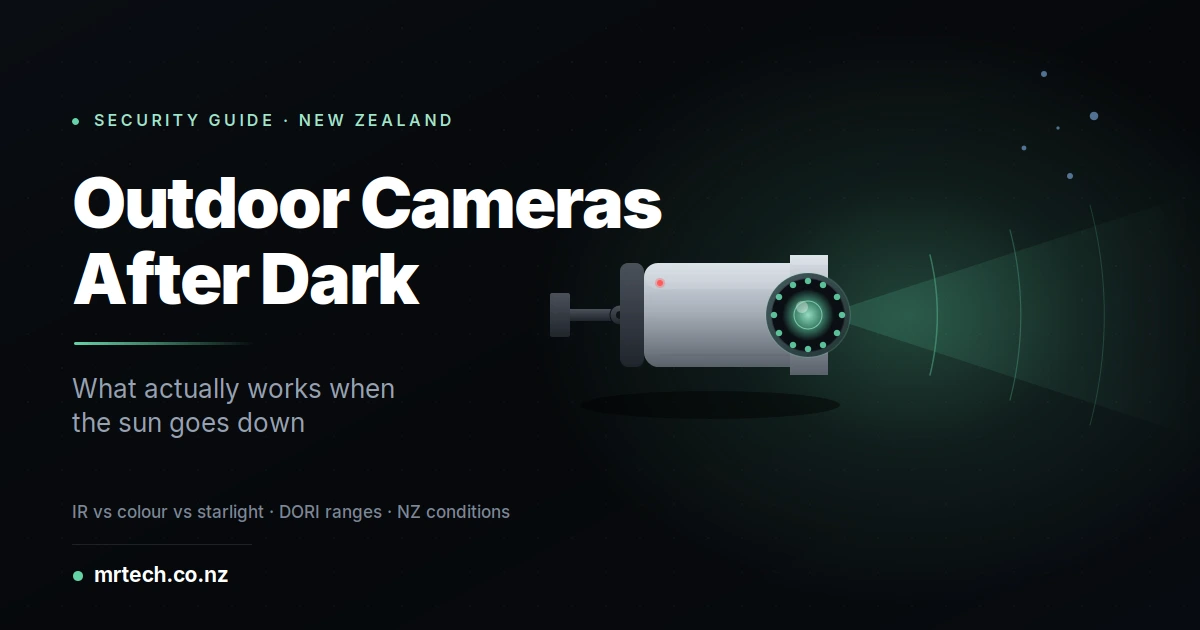
Your neighbour’s driveway camera captured the incident on Tuesday night. You watched the footage. You saw a shape, roughly person-sized, wearing something dark. That’s all. Whether it was tall or short, male or female, empty-handed or carrying a bag impossible to tell. That’s the moment most NZ homeowners realise that “night vision” on a $150 camera and night vision on real security equipment are very different things.
Outdoor Security Cameras with Night Vision
This is a practical guide to buying outdoor security cameras with night vision that actually deliver usable footage after dark the kind that identifies who was on your property, not just that someone was. Written for New Zealand conditions, NZ property types, and the specific weather that eats cheap cameras alive.
The three types of night vision and which one you actually need
Three genuinely different night vision technologies exist. Cheap cameras confuse them in marketing; understanding the difference is what separates a $200 mistake from a camera that earns its cost the first time you need the footage.
Infrared (IR) night vision
The classic option. Small IR LEDs around the lens flood the scene with light your eyes can’t see, and the camera sensor picks it up as black-and-white footage. IR works in complete darkness, which is its main selling point.
- Realistic usable range: 10–30 m depending on the camera’s IR power and sensor
- Best for: driveways, gates, back yards without ambient light, rural properties
- Weakness: no colour, and reflective surfaces (car windows, retro-reflective clothing) can wash out the image entirely
Colour night vision
A larger sensor and a wider lens aperture capture whatever ambient light exists streetlights, moonlight, spillover from a porch light and produce a colour image. If your camera can see any hair colour, jacket colour, or car colour, this is what’s doing it.
- Realistic usable range: 5–15 m without additional light, further with any ambient lighting
- Best for: front driveways with street lighting, suburban streets, commercial premises with 24/7 signage light
- Weakness: needs some ambient light; in pitch dark it falls back to IR anyway
Starlight sensors
The premium tier. A large sensor (typically 1/1.8″ or 1/1.2″) combined with a fast aperture (ƒ/1.6 or lower) produces colour images at light levels where standard cameras have already switched to IR.
- Realistic usable range: matches colour night vision but at 5–10× lower light levels
- Best for: rural properties with minimal ambient light, commercial perimeter security, licence plate lanes
- Weakness: costs 2–4× more than an equivalent IR-only camera
For most NZ homes, a camera with both colour night vision and IR fallback covers 95% of real scenarios. Pure IR is enough for outbuildings and gates; starlight is genuine premium hardware for demanding installs.
What “night vision” actually looks like on cheap vs mid-range cameras
Marketing claims and real-world footage diverge sharply after dark. A $150 camera claiming “100 ft night vision” typically produces 20 ft of usable detail. The difference isn’t in the marketing it’s in the sensor size and lens aperture, which most product pages don’t mention.
The sensor size trap
Sensor size is measured as a fraction of an inch smaller number, bigger sensor. And bigger sensor collects more light per pixel, which is what determines whether you get identifiable footage or a shadow.
- 1/2.7″ — typical of cameras under $200. Fine in daylight, weak at night
- 1/1.8″ — the mid-range standard, roughly 2× the surface area
- 1/1.2″ — flagship prosumer and pro cameras, roughly 4× the light-gathering of the smallest sensors
Two cameras claiming “4K resolution” can perform very differently at night if their sensors differ by this much. Resolution is what people read; sensor size is what determines whether the picture is usable.
Aperture (the ƒ-number)
The ƒ-number describes how wide the lens opens. Lower ƒ-number = wider aperture = more light reaching the sensor. Move from ƒ/2.8 to ƒ/1.6 and you’re collecting roughly three times more light for the same shutter speed enormous for after-dark performance.
Cheap cameras rarely publish their ƒ-number. Any product page that skips it is telling you something.
How much night vision range do you actually need?
Measure from where the camera will mount to what you actually want to identify. Most NZ residential situations need 15–25 m of usable identification range. Commercial premises, rural blocks, and licence plate lanes need 30–50 m+. Marketing “detection ranges” of 100 ft mean almost nothing.
DORI the industry standard buyers ignore
The security industry uses a four-level scale called DORI (Detection, Observation, Recognition, Identification) to describe what you can actually do with footage from a given camera at a given distance. The categories are:
- Detection — something is happening in the frame (a shape, movement)
- Observation — general characteristics visible (roughly one person, roughly wearing dark clothes)
- Recognition — you’d recognise someone you already know
- Identification — enough detail to identify a stranger, read plates, describe features
Cheap camera “night vision range” figures usually mean detection. The distance at which you’d actually identify an unknown person is typically a third to a quarter of the quoted range. When you see “100 ft night vision,” expect real identification range to be 25–30 ft.
Match your requirement to the level you actually need. Recognising a family member walking up the driveway needs less than identifying a stranger climbing a fence.
NZ-specific factors that affect night camera performance
Three environmental factors matter more in New Zealand than in temperate US or European markets: coastal humidity, driven horizontal rain, and long summer twilight. Cameras built for continental climates often underperform after 12 months of NZ weather.
Weatherproofing that survives an NZ winter
An IP66 rating is the minimum for anything mounted outdoors in NZ conditions. IP66 handles powerful jets of water from any direction which is what a Wellington southerly actually delivers to a north-facing wall. IP67 or IP68 is worth paying for on coastal and highly exposed installs.
For anywhere within a school or public reach, add IK08 or IK10 vandal ratings impact resistance. IK04 covers “casual tampering”; IK10 survives being hit with a hammer.
Coastal salt corrosion
Within 5 km of the coast, aluminium enclosures corrode faster, screws seize, and lens gaskets degrade under UV. Stainless steel mounting hardware and marine-grade paint make a meaningful difference to five-year camera lifespan on the coast. For anything within 500 m of surf, factor a full replacement cycle at 3–4 years rather than 7–10.
Long twilight and harsh daytime contrast
New Zealand’s high UV combined with summer daylight from 5 am to 10 pm creates a wide dynamic range challenge. Cheap cameras hunt for correct exposure at dawn and dusk, producing blown-out highlights or crushed shadows. HDR (High Dynamic Range) support on the sensor is worth having check that it’s listed in the spec sheet, not just implied.
The four outdoor camera categories NZ buyers choose between
No single camera type wins every job. Match the tier to what you’re protecting and how much footage quality matters if something goes wrong.
| Category | Price (NZD) | Night vision quality | Storage | Install | Best for |
|---|---|---|---|---|---|
| DIY consumer (Reolink, TP-Link Tapo, Ring) | $150–$300 | IR only, 10–20 m | Cloud + SD | Wi-Fi, plug-in | Renters, small yards, low-risk sites |
| Mid-range prosumer (Reolink Duo, Amcrest) | $250–$500 | Colour + IR, 15–30 m | Local NVR or SD | Wi-Fi or PoE | Owner-occupied homes, small businesses |
| Semi-pro (UniFi G6, Amcrest Pro) | $400–$800 | Starlight or advanced IR, 30–40 m | Local NVR standard | PoE, needs electrical work | Serious home security, small commercial |
| Pro/commercial (UniFi G6 Pro, Hikvision, Dahua) | $600–$1,500+ | Full starlight, AI-driven, 40 m+ IR | Dedicated NVR | PoE, professional install | Commercial perimeter, licence plate, rural blocks |
The right category depends on how much the footage matters when something happens. For a suburban driveway where a stolen bike is the worst plausible outcome, DIY consumer is fine. For a business perimeter where a break-in could cost tens of thousands, mid-range or higher pays for itself the first incident.
Power and connectivity the install decision that constrains everything
How the camera gets power (mains, PoE, solar, battery) and how it sends data (Wi-Fi, ethernet) determines where you can physically put it. Most NZ homes end up with a mix, matched to each mounting location.
PoE the standard for serious installs
Power over Ethernet delivers electricity and data down a single Cat 5e or Cat 6 cable. One cable, one termination, no separate transformer at the camera. Effective runs go to 50–100 m depending on cable quality. PoE is what commercial installers use and what any UniFi or Hikvision setup expects.
Wi-Fi + mains the DIY sweet spot
Consumer cameras plug into a standard socket and connect over Wi-Fi. Simple, but check signal strength at the intended mounting point before installing a camera dropping to 1-bar Wi-Fi produces stuttering footage exactly when you need it. Range extenders help; better still is running an ethernet drop and switching to PoE.
Solar + battery outbuildings and off-grid
For sheds, gates, and rural properties without power in reach, solar-powered wireless cameras with battery storage work well in NZ’s high sun-hour climate. Position the panel where it catches at least 4 hours of direct sun in mid-winter anything less and the battery drains faster than it recharges. See the range of outdoor security cameras stocked at MrTech NZ for options that match each install type.
Storage, privacy, and NZ law
Camera footage is regulated in New Zealand under the Privacy Act 2020. If your camera captures identifiable images of other people including neighbours, delivery drivers, or people passing on the footpath you are operating a data collection system with legal obligations. This isn’t legal advice; talk to a lawyer for your specific situation.
Local storage vs cloud storage
Two ways to keep footage. Local storage (SD card in the camera, or a dedicated NVR box) is a one-time cost and keeps footage on your property. Cloud storage costs a monthly subscription but survives if the camera is stolen or damaged.
For a serious install, a local NVR is the standard it stores days or weeks of footage from multiple cameras, keeps working during internet outages, and doesn’t tie you to a manufacturer’s subscription that might change price or shut down.
Where to install cameras for the best night footage
Mounting height, angle, and lighting environment matter as much as camera spec. A $500 camera pointed into a streetlight produces worse footage than a $200 camera positioned correctly.
Three practical rules:
- Mount at 2.5–3 m height, angled 15–20° down. Too low and someone can knock it out; too high and you’re looking at the tops of heads.
- Position light sources behind the camera, not in front. A porch light in front of the lens turns everything else in the frame into silhouettes.
- Watch for spider webs and moths — IR light attracts insects at night, and a web across the lens ruins every recording until you notice.
When to spend more, when to save
Save on: well-lit driveways, sheltered locations, low-priority coverage (checking the letterbox, watching the pets), and situations where you’d only ever use the footage to jog your own memory.
Spend on: dark rural properties, business perimeters, entryways where identification actually matters, licence plate lanes, and anywhere the footage might end up as police evidence. A pro-grade camera at the front gate and consumer cameras covering the sides is a common and sensible split.
FAQs
How far can outdoor security cameras see at night?
Depends on the camera. Marketing “detection range” figures of 100 ft usually translate to 25–35 ft of identification range. For real identification (recognising a stranger), plan for 30–50% of the quoted range. Starlight-sensor cameras with colour night vision perform meaningfully better than IR-only cameras at the same nominal range.
Do outdoor cameras need Wi-Fi?
Not necessarily. PoE cameras run over ethernet cable with no Wi-Fi involved — the standard for serious installs. Wi-Fi cameras are easier to set up but signal strength at the mounting point limits reliability. Solar/battery cameras use either Wi-Fi or 4G/LTE.
Can my neighbours see my camera footage?
Only if you share it. Camera footage is yours by default. However, under the NZ Privacy Act 2020, if your camera captures identifiable footage of your neighbours, they have the right to request access to that footage or ask what you’re doing with it. Talk to a lawyer if you’re unsure about a specific setup.
Do I need infrared or colour night vision?
Colour night vision needs some ambient light streetlights, porch light, neighbours’ security lighting. If your intended camera location has any ambient light after dark, colour night vision produces meaningfully more useful footage (jacket colour, car colour, hair colour). For truly dark installs rural gates, back paddocks, isolated outbuildings infrared is the right choice.
What’s the best outdoor security camera under $500 in NZ?
Depends on install type. For PoE setups, mid-range UniFi cameras deliver serious quality at the top of this budget. For plug-and-play Wi-Fi installs, Reolink and Amcrest sit in the $250–$450 range with decent night vision and local storage. Match camera tier to what you’re actually protecting.
How long do outdoor security cameras last in NZ weather?
Well-specified cameras (IP66, marine-grade for coastal installs) typically last 5–8 years. Cheap cameras with plastic bezels and low IP ratings often fail at 18–36 months, usually from UV degradation, gasket failure, or PCB corrosion after moisture ingress. Coastal installs shorten these ranges by roughly a third.
 No products in the cart.