
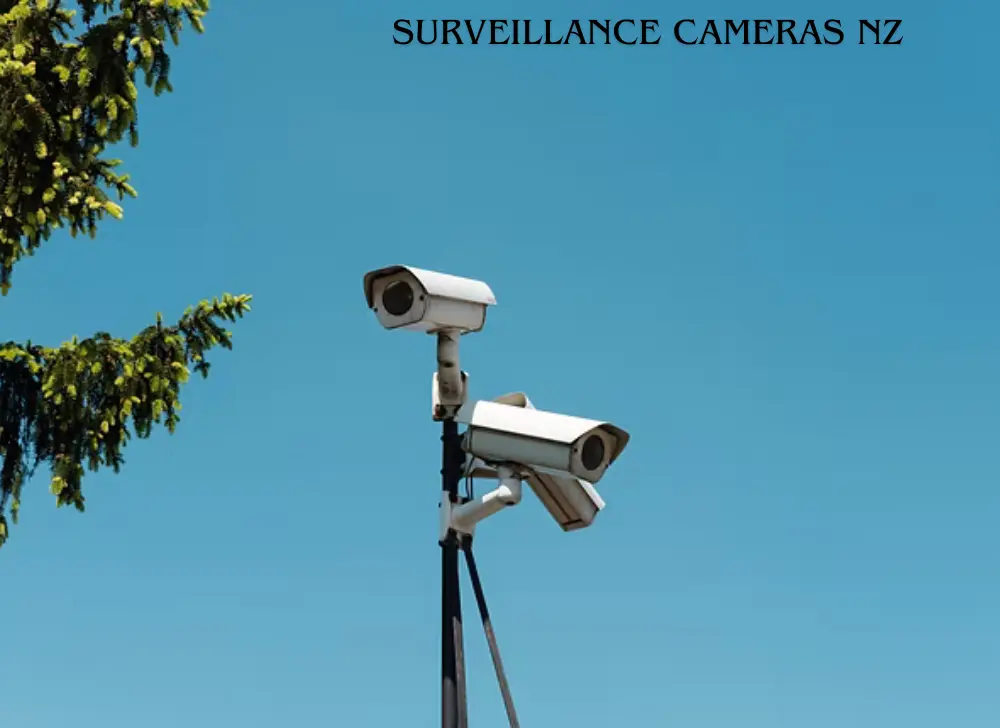
Surveillance Cameras NZ: A spike in burglaries, rural theft, and parcel pinching has pushed a lot of Kiwis to look at surveillance cameras — and then straight into a wall of specs, brands, and sales pitches. 4MP or 4K? Wired or wireless? Cloud or NVR? And what are you even allowed to record without landing in a dispute?
This guide sorts it out. You’ll get a plain-English breakdown of camera types, the features actually worth paying for, real cost bands, the NZ privacy rules that apply to home and business setups, and a clear view on what to buy for your situation. The goal isn’t to sell you the most cameras — it’s to help you buy the right ones once.
What types of Surveillance Cameras NZ are available in NZ?
New Zealand buyers mostly choose between connection type (wired, wireless, or PoE) and camera shape (bullet, dome, turret, PTZ), plus where the camera lives (indoor or outdoor). Each combination suits a different job. Picking the wrong one is the most common — and most expensive — mistake people make.
Wired vs. wireless (and PoE)
- Wired (PoE) — Power over Ethernet runs power and data down a single cable to a recorder. It’s the most reliable choice for permanent home and business installs, with no battery to charge and no WiFi to drop.
- Wireless (WiFi) — Easier to fit, great for renters or single-camera spots, but performance depends on your signal and many still need a power cable nearby.
- Battery + WiFi — Fully cable-free and quick to mount, though you’ll be recharging or swapping batteries, and continuous recording isn’t realistic.
Bullet, dome, turret & PTZ
- Bullet — Long, visible, obvious deterrent; good range. Ideal for driveways and perimeters.
- Dome — Discreet, vandal-resistant, wide coverage. Common indoors and in retail.
- Turret — A favourite for night clarity, with fewer IR glare and spiderweb issues than domes.
- PTZ (pan-tilt-zoom) — Motorised cameras that track and zoom across large areas like yards, car parks, and warehouses. Pricier, and they only point one way at a time.
Indoor vs. outdoor
Outdoor cameras need a weather rating (look for IP66 or higher) to handle NZ’s rain, coastal salt air, and UV. Indoor cameras can skip the rugged housing but should still cover entry points and high-value rooms. Don’t put an indoor-only camera outside under an eave and hope for the best — moisture finds a way.
What features actually matter in a security camera?
Resolution, night vision, field of view, smart detection, and storage are the features that change real-world results. Everything else is mostly marketing. Buy enough resolution to identify a face or plate, reliable low-light performance, and detection that filters out false alerts — that combination does the heavy lifting.
What to prioritise:
- Resolution — 1080p is the floor. 2K (4MP) is the sweet spot for most homes — sharp enough to identify people without ballooning your storage. 4K is worth it for wide areas like long driveways or car parks where you need to read detail at distance.
- Night vision — Standard IR gives black-and-white footage in the dark. Cameras with a spotlight or “full-colour night vision” capture colour detail (clothing, car colour) that IR can’t.
- Field of view — Wider isn’t always better. A very wide lens covers more but shrinks distant faces. Match the lens to the scene.
- Smart detection — AI person/vehicle detection cuts the false alerts that plague basic motion sensors (swaying trees, rain, cats). This is the feature that decides whether you actually check the notifications or mute them.
- Audio — Useful for context, but treat it carefully — recording audio carries extra privacy weight (more on that below).
- Storage — Local recorder, SD card, or cloud. This shapes your ongoing cost more than the cameras themselves.
How to choose surveillance cameras for your home
Start with your entry points, not the camera count. Most NZ homes are well covered by 3–6 cameras aimed at the front door, driveway, back/side access, and any blind spots. Prioritise weatherproofing, night performance, and clear coverage of how someone would actually approach the property.
A quick planning method:
- Map your weak points. Walk the property as if you were trying to get in unseen. Those paths are where cameras go.
- Cover, don’t blanket. A camera on the front door and one watching the driveway beats five cameras pointed at your lawn.
- Mount for faces, not foreheads. Around 2.5–3m high, angled to catch faces rather than the tops of heads.
- Plan for night. Most incidents happen after dark — low-light performance matters more than daytime megapixels.
- Check coverage of approach, not just the door. You want to see someone arriving and leaving, not just standing at the threshold.
For the best cameras for a home setup, a wired PoE system with 2K turret cameras and AI person detection is the dependable, low-maintenance choice. Renters or single-spot buyers are better served by a quality battery or WiFi camera that doesn’t need drilling.
Surveillance cameras for NZ businesses
Business needs differ from home in three ways: coverage scale, footage retention, and compliance. Retail, trade yards, warehouses, and offices each need cameras matched to their risk — point of sale, stock areas, entrances, and perimeters — plus a recording setup that keeps footage long enough to be useful and a clear privacy process.
Common business scenarios:
- Retail — Cover tills, entrances, and high-shrinkage aisles. Domes are discreet and tamper-resistant.
- Trade & warehouse — Wide-area PTZ or high-resolution bullets for yards and loading bays; weatherproofing is non-negotiable.
- Office — Entry doors and reception; be deliberate about staff-monitoring rules.
- Hospitality — Entrances and back-of-house, with careful placement away from private areas.
Businesses also have legal duties that homeowners don’t — signage, a lawful purpose, and a plan to respond when someone asks for footage of themselves. We cover that next.
Wired vs. wireless vs. PoE — which is right for you?
For permanent, reliable coverage, wired PoE wins. For speed and flexibility, wireless or battery cameras win. The right pick comes down to whether you own the property, how many cameras you need, and how much you value set-and-forget reliability over easy installation.
| Type | Install effort | Reliability | Ongoing hassle | Best for |
|---|---|---|---|---|
| Wired PoE | High (cabling) | Excellent | Very low | Owned homes & businesses, permanent multi-camera systems |
| WiFi (mains-powered) | Medium | Good (signal-dependent) | Low | Single rooms, spots near power, smaller setups |
| Battery + WiFi | Low (no wiring) | Fair | Higher (recharging) | Renters, temporary use, hard-to-wire spots |
If you’re wiring a new build or doing a serious upgrade, run PoE. If you’re renting or want it working this weekend, go wireless and accept the trade-offs.
Storage and recording: cloud, NVR/DVR, or SD card?
Your three options are an on-site recorder (NVR for IP cameras, DVR for older analogue), an SD card in each camera, or cloud storage. Most serious NZ home and business systems use an NVR for reliable continuous recording, sometimes paired with cloud backup for off-site safety.
- NVR/DVR (local recorder) — Best for continuous, multi-camera recording. One-off cost, no subscription, footage stays on your premises. Downside: if the recorder is stolen, so is the footage — hide it.
- SD card (on-camera) — Cheap and simple for one or two cameras. Limited capacity and cards wear out; not ideal as your only copy.
- Cloud — Footage stored off-site, safe from theft, accessible anywhere. Usually a monthly fee, and it depends on your internet upload speed.
A practical combo for many: NVR for the bulk recording, cloud for critical cameras as backup.
Surveillance camera laws in NZ — what you can and can’t do
CCTV is legal in New Zealand, but it’s governed by the Privacy Act 2020 and overseen by the Office of the Privacy Commissioner (OPC). The rules differ for homes versus businesses, and audio is treated more strictly than video. Get the basics right and you avoid disputes, complaints, and the occasional payout.
For home cameras: The Privacy Act often does not apply to purely domestic CCTV — but other laws can, and the Crimes Act prohibits intimate recording of people without their consent or knowledge. The OPC’s practical advice for homeowners is sensible regardless: talk to your neighbours before setting up a camera, put up signs telling people cameras are in place, show neighbours footage of themselves if they ask, consider other measures like lighting first, think before uploading footage online, and give footage to Police if you suspect an offence.
For businesses and organisations: The obligations are firmer. Agencies can only collect personal information — including footage of people — that’s necessary for a purpose connected to their activities, and they need to understand what they’re collecting and how they’ll manage it before installing cameras. The OPC recommends doing a Privacy Impact Assessment first, and collecting the least personal information you can.
Audio: Be cautious. Collecting audio from CCTV is more invasive, so if it isn’t necessary, don’t do it.
Access requests: People can ask to see footage of themselves. Under principle 6 of the Privacy Act, individuals have a right to access information about themselves, including CCTV recordings, and a blanket policy of never releasing footage is inconsistent with the Act.
Pointing at neighbours: This is the most common source of complaints. Cameras that capture a neighbour’s private space can breach the Act — and in one Tribunal case, masking technology that cropped the field of view saved two cameras from breaching the Act, while a failure to notify and respond contributed to a $7,000 award. Use privacy zones to black out areas you shouldn’t be recording.
This is general information, not legal advice — for a specific situation, check with the OPC or a NZ lawyer.
How much do surveillance cameras cost in NZ?
Prices range from budget single cameras to full professionally installed multi-camera systems. As a rough guide, expect to pay more for higher resolution, PoE infrastructure, and professional installation — and less for DIY WiFi kits. Ongoing costs (cloud subscriptions) add up over time.
| Tier | What you get | Indicative price (verify) |
|---|---|---|
| Entry / DIY | 1–2 WiFi or battery cameras, app, SD or basic cloud | $ |
| Mid / home system | 4–6 camera PoE kit + NVR, 2K, AI detection | $$ |
| Premium / pro-installed | 6+ cameras, 4K, PTZ, professional cabling & setup | $$$ |
DIY saves on labour but costs you time and a bit of trial and error. Professional installation costs more upfront but gets cabling, angles, signage, and configuration right the first time — which matters more than people expect.
Pros and cons of DIY vs. professional installation
DIY pros: lower upfront cost, full control, fine for simple WiFi setups. DIY cons: awkward cable runs, suboptimal angles, no warranty on workmanship, and easy to miss the legal/signage basics.
Professional pros: correct placement and cabling, weatherproofing done right, compliant signage, ongoing support, and a system sized to your property. Professional cons: higher upfront cost; you’re booking around an installer’s schedule.
If it’s one camera by the front door, DIY is fine. For a wired multi-camera home or any business system, professional install usually pays for itself in reliability and peace of mind. The team at Mr Tech can assess your property and recommend a setup that fits both your coverage needs and your budget.
Our expert take — what to actually buy
Match the system to your situation rather than chasing the highest spec. Here’s the short version by use case:
- Renters — A quality battery or WiFi camera at the entry. No drilling, takes it with you when you move.
- Homeowners — A 4–6 camera 2K PoE system with an NVR and AI person detection. Reliable, low-maintenance, covers the real entry points.
- Small businesses — Domes for interior/retail, weatherproof bullets or PTZ outside, NVR with sensible retention, proper signage.
- Rural / lifestyle blocks — Higher-resolution or PTZ cameras for wide areas, strong night vision, and a recording solution that survives a power or internet hiccup.
Frequently asked questions
Are surveillance cameras legal in NZ? Yes. CCTV is legal in New Zealand for genuine security purposes. Home cameras are often outside the Privacy Act, but the Crimes Act still bans intimate recording without consent, and businesses must follow the Privacy Act 2020 — including collecting only what’s necessary and notifying people.
Can I point a security camera at my neighbour’s property? You should avoid it. Cameras that capture a neighbour’s private space are the leading cause of complaints and can breach privacy rules. The OPC suggests talking to neighbours first and using privacy zones to mask areas you shouldn’t record.
Do I need WiFi for security cameras? Not always. Wired PoE cameras run over Ethernet and don’t rely on WiFi at all. WiFi and battery cameras do need a wireless signal, and their reliability depends on how strong that signal is where they’re mounted.
What’s the best resolution for a home security camera? 2K (4MP) is the sweet spot for most NZ homes — sharp enough to identify faces and detail without huge storage demands. Step up to 4K for wide areas like long driveways or car parks where you need to read detail at a distance.
How long do cameras keep footage? It depends on your storage size and settings; most systems overwrite old footage automatically. The Privacy Act direction for organisations is not to keep footage longer than necessary — common practice is around 30–90 days for routine monitoring, longer if an incident is unresolved.
Do security cameras work without internet? Yes. A wired system with an NVR records locally with no internet at all. You only need internet for remote viewing on your phone, cloud backup, and push notifications.
Can police access my CCTV footage? Police can request footage if it may help an investigation, and properly obtained CCTV is commonly used as evidence. The OPC also encourages handing footage to Police if you suspect an offence has occurred.
Get the right cameras for your property
The best surveillance setup is the one matched to your home or business, your entry points, and NZ’s conditions — not the one with the biggest spec sheet. If you’d rather not guess, get a tailored coverage assessment. Talk to the team at Mr Tech for advice on the right cameras, placement, and a compliant setup.
 No products in the cart.