
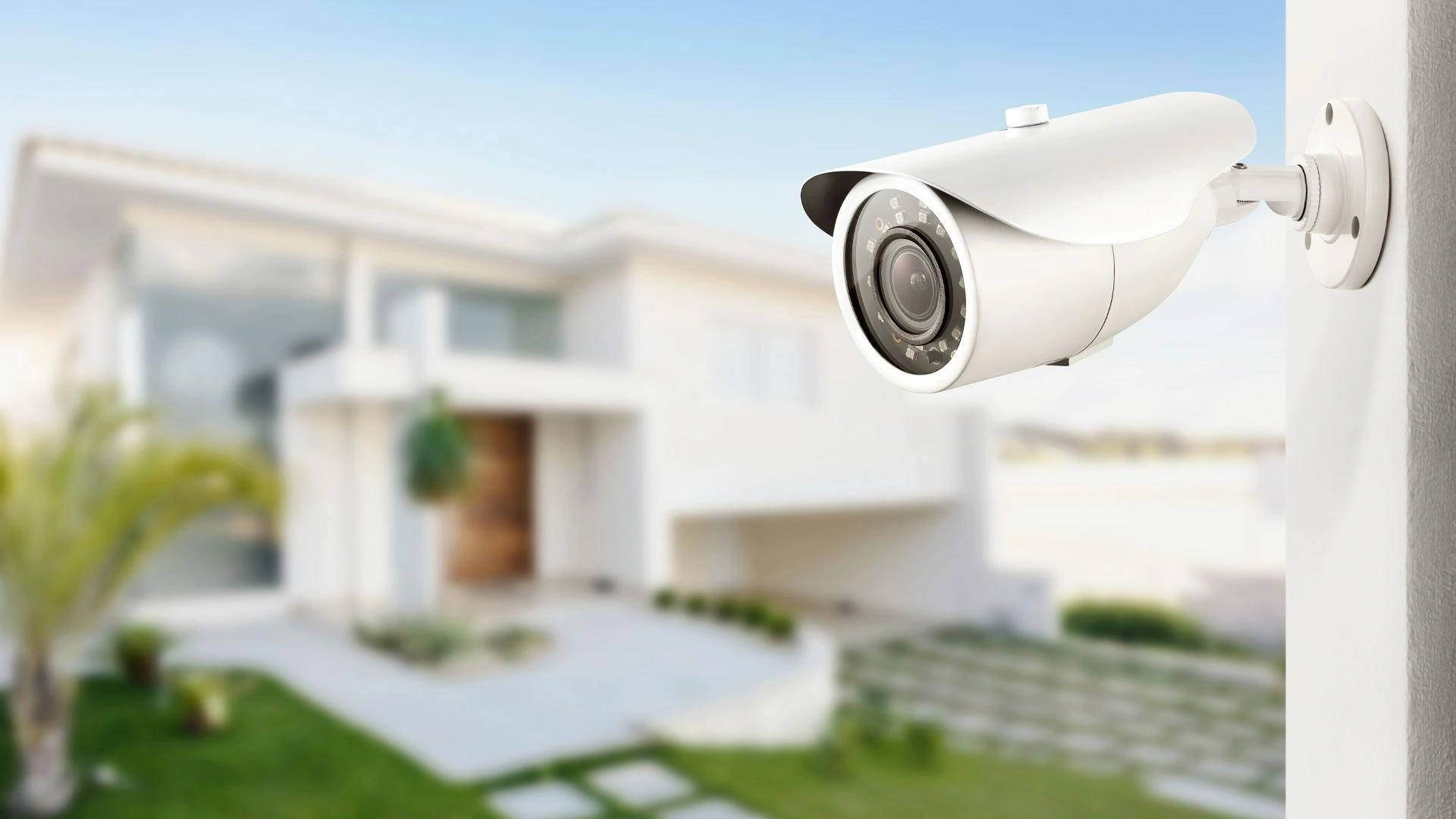
Security Cameras NZ are an essential investment for homeowners and businesses looking to protect their property, loved ones, and valuable assets. Whether you’re securing a family home, retail store, office, or warehouse, choosing the right surveillance system can make all the difference.
With so many options available today—from wireless cameras and battery-powered models to professional PoE systems with AI-powered detection—it can be difficult to know which solution is right for your property. Features like 4K resolution, colour night vision, cloud storage, and smart alerts all sound appealing, but not every feature is essential for every user.
The best security camera system isn’t necessarily the most expensive one. It’s the one that matches your property’s layout, your security goals, and your budget while delivering reliable performance for years to come.
In this guide, you’ll learn the key differences between the most popular security camera systems available in New Zealand, what features actually matter, and how to choose a solution that offers the best long-term value for your home or business.
Quick Answer
If you’re looking for the best security cameras in NZ, the right choice depends on your property type, installation requirements, and long-term security goals.
For apartments or rental properties, wireless security cameras are often the easiest option because they require minimal installation. For larger homes, offices, retail stores, or warehouses, a PoE (Power over Ethernet) security camera system with an NVR offers greater reliability, continuous recording, better image quality, and easier expansion.
| Property Type | Recommended Security Camera Solution |
|---|---|
| Apartment | Wireless security cameras |
| Small home | Wireless cameras with mobile app monitoring |
| Family home | PoE security camera system with NVR |
| Retail shop | AI-enabled PoE cameras |
| Office | Indoor PoE cameras with remote monitoring |
| Warehouse | Outdoor weatherproof PoE cameras with NVR |
Why Security Cameras NZ Are Becoming Essential for Homes and Businesses
Security cameras have become one of the most effective ways to protect homes and businesses across New Zealand. Modern surveillance systems do far more than simply record video—they help you monitor your property in real time, receive instant alerts, and review important footage whenever needed.
Today’s systems are smarter, easier to manage, and more affordable than traditional CCTV installations.
Modern security cameras can:
- Detect people and vehicles using AI-powered analytics
- Send instant alerts to your smartphone
- Record in high-definition, including 2K and 4K resolutions
- Capture clear footage at night with infrared or colour night vision
- Store recordings locally using an NVR or in the cloud
- Allow live viewing from anywhere through a mobile app
For homeowners, these features provide reassurance while travelling or away at work. For businesses, they help improve security, reduce theft, monitor staff safety, and provide valuable evidence if an incident occurs.
Instead of reviewing hours of footage manually, modern AI-enabled systems notify you only when meaningful activity is detected, saving time and reducing unnecessary alerts.
What Should You Consider Before Buying Security Cameras?
Before comparing different brands or camera models, it’s important to understand your own security requirements. Choosing the right system starts with knowing what you need to protect and how you want your cameras to perform.
Ask yourself the following questions before making a purchase:
- Is the camera for indoor or outdoor use?
- How large is the area you need to monitor?
- Do you want wired or wireless installation?
- Will you need to record continuously or only when motion is detected?
- Do you want to access live footage remotely?
- How important is night vision?
- Will you expand your system in the future?
- What is your budget?
Answering these questions first will help narrow down the most suitable options and prevent you from paying for features you may never use.
Security Cameras NZ: What Type of Security Camera Do You Actually Need?
Not all security cameras are designed for the same purpose. The best option depends on where the camera will be installed, how it will be powered, and the level of security you require.
Let’s look at the most common types of security cameras available in New Zealand.
PoE (Power over Ethernet) Security Cameras
PoE security cameras receive both power and network connectivity through a single Ethernet cable. This creates a cleaner installation while delivering a stable and reliable connection.
PoE systems are widely used in homes, offices, schools, retail stores, and commercial buildings because they provide dependable performance and continuous recording.
Benefits of PoE Cameras
- Reliable wired connection
- High-quality video streaming
- Continuous 24/7 recording
- No batteries to recharge
- Easy to expand with additional cameras
- Lower maintenance over time
If you’re building a new home, renovating, or installing multiple cameras, a PoE system is often the most future-proof solution.
Wireless Security Cameras
Wireless security cameras connect to your Wi-Fi network, making them easier and faster to install than wired systems.
They’re particularly popular with homeowners who want a simple installation without running Ethernet cables throughout the property.
Benefits of Wireless Cameras
- Easy DIY installation
- Flexible placement
- Ideal for rental properties
- Expandable without additional cabling
- Mobile app access
Things to Consider
Wireless cameras rely on a strong Wi-Fi signal for the best performance. Battery-powered models also require periodic charging, making them better suited for lighter-use environments rather than busy commercial locations.
For apartments, smaller homes, or temporary installations, wireless cameras offer an excellent balance between convenience and security.
Indoor Security Cameras
Indoor security cameras are designed to monitor activity inside your property. They are compact, easy to install, and often include useful features such as two-way audio and motion detection.
They’re commonly installed in:
- Living rooms
- Hallways
- Home offices
- Reception areas
- Retail counters
- Stock rooms
Many indoor cameras also support remote viewing, allowing you to check on your property from anywhere using a smartphone.
Outdoor Security Cameras
Outdoor security cameras are built to withstand New Zealand’s changing weather conditions while providing clear footage day and night.
When comparing outdoor cameras, look for features such as:
- Weather-resistant housing (IP65 or higher)
- Infrared or colour night vision
- Wide viewing angles
- High-resolution recording
- AI-powered person and vehicle detection
- Motion alerts
Outdoor cameras are typically installed to monitor:
- Front doors
- Driveways
- Garages
- Side entrances
- Car parks
- Building perimeters
Choosing the correct location is just as important as choosing the camera itself, as proper placement helps eliminate blind spots and improves overall coverage.
Indoor vs Outdoor Security Cameras: What’s the Difference?
Choosing between an indoor and outdoor security camera isn’t just about where you install it. Outdoor cameras are designed to handle harsh weather, wider coverage, and changing lighting conditions, while indoor cameras focus on monitoring activity inside your property.
If you’re securing entrances, driveways, or outdoor areas, always choose a weather-resistant outdoor camera. Indoor cameras are ideal for monitoring living spaces, offices, reception areas, and stock rooms.
| Feature | Indoor Cameras | Outdoor Cameras |
|---|---|---|
| Weather Resistance | No | Yes (IP65/IP66/IP67) |
| Best Location | Inside buildings | Outside buildings |
| Night Vision | Basic | Advanced IR/Colour Night Vision |
| Build Quality | Lightweight | Heavy-duty Weatherproof Housing |
| Viewing Area | Rooms & Hallways | Driveways, Entrances & Perimeters |
| Best For | Homes & Offices | Homes, Businesses & Warehouses |
What IP Rating Do You Need for NZ Weather?
New Zealand experiences everything from heavy rain and strong winds to coastal humidity. That’s why an outdoor security camera should have a suitable IP (Ingress Protection) rating.
As a general guide:
- IP65 – Suitable for most residential outdoor installations.
- IP66 – Better protection against heavy rain and dust.
- IP67 – Ideal for harsher environments where maximum weather protection is required.
If your property is close to the coast or exposed to the elements, investing in a higher IP-rated camera can improve durability and reduce maintenance over time.
Wired (PoE) vs Wireless Security Cameras
One of the biggest decisions buyers face is whether to choose a wired (PoE) or wireless security camera system. Both have their advantages, but the best choice depends on your property and how you plan to use the system.
Wireless cameras are quick to install and work well for smaller homes or rental properties. PoE systems require Ethernet cabling but provide a more stable connection, continuous recording, and easier expansion.
| Feature | PoE Cameras | Wireless Cameras |
|---|---|---|
| Installation | Professional | Easy DIY |
| Reliability | Excellent | Depends on Wi-Fi |
| Image Quality | Excellent | Very Good |
| Continuous Recording | Yes | Limited on some models |
| Maintenance | Minimal | Battery charging (if battery-powered) |
| Best For | Homes & Businesses | Apartments & Rentals |
Why PoE Cameras Are Preferred for Permanent Installations
PoE cameras receive both power and data through a single Ethernet cable, eliminating the need for separate power supplies or battery replacements. This makes them highly reliable and ideal for properties where uninterrupted surveillance is important.
Benefits include:
- Stable network connection
- Continuous 24/7 recording
- Easier management of multiple cameras
- Better image quality
- Lower long-term maintenance
If you’re planning to secure a family home, office, warehouse, or retail shop, a PoE system is often the smarter long-term investment.
How Many Security Cameras Do You Need?
The number of cameras you need depends on your property’s size, layout, and the areas you want to monitor. Installing too few cameras can leave blind spots, while installing too many may increase costs without adding much value.
Here are some general recommendations:
| Property Type | Recommended Cameras |
|---|---|
| Apartment | 1–2 Cameras |
| Small Home | 2–4 Cameras |
| Large Home | 4–8 Cameras |
| Retail Store | 4–8 Cameras |
| Office | 4–12 Cameras |
| Warehouse | 8+ Cameras |
When planning camera placement, prioritise key entry points and high-value areas, including:
- Front and back doors
- Driveways
- Garages
- Hallways
- Cash handling areas
- Reception desks
- Storage rooms
- Car parks
Tip: It’s often worth choosing a system that allows you to add more cameras in the future as your needs change.
Resolution Guide: Do You Really Need 4K?
Higher resolution doesn’t always mean a better security system. The right resolution depends on what you want to capture and how much storage you’re prepared to use.
For many homes, a 1080p or 2K camera provides excellent image quality. However, if you need to identify faces, vehicle registration plates, or monitor larger outdoor spaces, 4K cameras offer greater detail.
| Resolution | Best For | Storage Required |
|---|---|---|
| 1080p (Full HD) | Small homes & indoor use | Low |
| 2K | Homes & Small Businesses | Medium |
| 4K Ultra HD | Large properties & Commercial sites | High |
Is 4K Worth It?
If you’re monitoring a large driveway, warehouse, retail store, or commercial premises, 4K cameras provide sharper footage and allow you to zoom in while retaining more detail.
For smaller indoor areas, 1080p or 2K cameras are often more than sufficient and require less storage space.
While 1080p cameras are suitable for everyday home monitoring, 4K cameras capture significantly more detail. This makes it easier to identify faces, vehicle number plates, and other important details, particularly when monitoring larger areas or zooming into recorded footage.
Night Vision and Low-Light Performance
A security camera is only as effective as its ability to capture clear footage after dark. That’s why night vision is one of the most important features to consider.
Most modern cameras include infrared (IR) night vision, which records clear black-and-white footage in complete darkness. Premium models also offer colour night vision, allowing you to capture more detail when some ambient light is available.
Infrared Night Vision
Best for:
- Complete darkness
- Residential properties
- Driveways
- Backyards
Colour Night Vision
Best for:
- Retail stores
- Car parks
- Building entrances
- Commercial properties
Colour footage can make it easier to identify clothing, vehicles, and other important details that may not be visible in standard infrared recordings.
For users looking for professional-grade performance, cameras such as the Ubiquiti UniFi G4 Pro combine high-resolution recording with excellent low-light performance, making them a strong choice for both residential and commercial installations.
AI-Powered Detection vs Basic Motion Detection
One of the biggest improvements in modern security cameras is AI-powered detection. Unlike traditional motion detection, which records any movement, AI technology can identify specific objects such as people and vehicles. This helps reduce false alerts and ensures you’re notified only when something important happens.
Traditional Motion Detection
Basic motion detection reacts to any movement within the camera’s field of view. While this can be useful, it often triggers unnecessary alerts caused by:
- Moving trees
- Heavy rain
- Animals
- Passing vehicles
- Changing shadows
As a result, you may receive dozens of notifications every day that don’t require your attention.
AI-Powered Detection
AI-enabled security cameras use intelligent algorithms to recognise different types of movement. Depending on the camera model, they can identify:
- People
- Vehicles
- Packages
- Animals
This significantly reduces false notifications and makes it easier to review important events.
For busy households and commercial properties, AI detection saves time and improves the overall effectiveness of your security system.
Cloud Storage vs Local NVR Storage
Choosing how your footage is stored is just as important as selecting the right camera. Most modern security systems offer cloud storage, local NVR storage, or a combination of both.
Cloud Storage
Cloud storage uploads your recordings to secure online servers, allowing you to access footage from almost anywhere.
Pros
- Easy remote access
- Automatic backups
- No on-site recording device required
Cons
- May require a monthly subscription
- Depends on a reliable internet connection
- Ongoing costs over time
Local NVR Storage
A Network Video Recorder (NVR) stores footage on-site using hard drives connected to your security system.
Pros
- No monthly subscription fees
- Continuous 24/7 recording
- Greater storage capacity
- Faster access to recorded footage
- Better privacy and control over your data
Cons
- Higher upfront cost
- Requires installation space
For many New Zealand homeowners and businesses, an NVR-based system provides excellent long-term value because it avoids recurring subscription costs while offering reliable continuous recording.
| Feature | Cloud Storage | Local NVR Storage |
|---|---|---|
| Monthly Fees | Usually Yes | No |
| Internet Required | Yes | Only for Remote Viewing |
| Continuous Recording | Limited on Some Plans | Yes |
| Long-Term Cost | Higher | Lower |
| Best For | Small Installations | Homes & Businesses |
Common Mistakes to Avoid When Buying Security Cameras
Choosing the wrong security system can lead to unnecessary costs and poor coverage. Before making your purchase, avoid these common mistakes:
- Buying cameras based only on price
- Choosing indoor cameras for outdoor use
- Ignoring night vision performance
- Not planning camera placement in advance
- Underestimating storage requirements
- Relying on poor Wi-Fi coverage for wireless cameras
- Purchasing a system that cannot be expanded in the future
Taking the time to plan your security system properly can save money and ensure your property remains protected for years to come.
Why Buy Security Cameras from Mr Tech NZ?
At Mr Tech NZ, you’ll find a carefully selected range of security and surveillance solutions designed for both residential and commercial applications. Whether you’re looking for a simple wireless camera or a professional PoE surveillance system, choosing quality equipment ensures better performance, improved reliability, and long-term peace of mind.
Our range includes:
- Indoor and outdoor security cameras
- Professional PoE camera systems
- Network Video Recorders (NVRs)
- Ubiquiti UniFi Protect cameras
- Power over Ethernet (PoE) networking products
- Accessories for complete surveillance installations
If you’re unsure which solution best suits your property, our team can help you choose the right equipment based on your security requirements and budget.
You can explore our range of security cameras, PoE networking products, and surveillance solutions to find the right system for your home or business. If you’re unsure which solution best fits your needs, our team is happy to help.
Frequently Asked Questions
What is the best security camera system in NZ?
The best system depends on your needs. Wireless cameras are ideal for smaller homes and rental properties, while PoE systems with NVR storage are generally the preferred choice for larger homes and businesses requiring reliable 24/7 monitoring.
Are wireless security cameras reliable?
Yes, provided you have a strong and stable Wi-Fi connection. They’re an excellent option for many homes, although wired PoE systems offer greater reliability for permanent installations.
Do security cameras work without the internet?
Yes. Many PoE camera systems connected to an NVR can continue recording locally even if your internet connection is unavailable. Internet access is only required for remote viewing and mobile notifications.
Do I need permission to install security cameras in New Zealand?
In most cases, you can install security cameras on your own property without needing permission. However, it’s important to comply with New Zealand’s privacy laws and avoid recording areas where people have a reasonable expectation of privacy, such as neighbouring private spaces. If you’re installing cameras for business purposes or in public-facing areas, make sure you understand your obligations under New Zealand’s privacy regulations. For more guidance, visit the Office of the Privacy Commissioner New Zealand.
How much storage do I need for security cameras?
Storage requirements depend on the number of cameras, recording quality, and how long you want to keep footage. Homes with multiple cameras often benefit from an NVR with expandable storage.
Is 4K better than 1080p for security cameras?
Yes, 4K cameras capture significantly more detail, making them ideal for identifying faces, vehicle number plates, and monitoring larger areas. However, they also require more storage space than 1080p cameras.
Can I add more cameras to my system later?
Many modern surveillance systems are designed to be expandable. Choosing a scalable NVR or PoE system makes it easier to add cameras as your security needs grow.
Final Thoughts
Choosing the right security cameras in NZ isn’t just about buying the latest technology—it’s about selecting a solution that matches your property’s needs today while allowing room for future expansion.
Whether you’re protecting your family home, a retail store, an office, or a larger commercial site, understanding the differences between wireless and PoE systems, storage options, camera resolution, and AI-powered features will help you make a more informed decision.
By investing in quality equipment and planning your camera placement carefully, you can create a reliable security system that provides confidence, convenience, and long-term value.
Ready to Upgrade Your Property Security?
Ready to protect your home or business? Explore Mr Tech NZ’s range of security cameras, PoE surveillance systems, NVRs, and smart security solutions. Whether you’re upgrading an existing setup or installing a new system, our experts can help you choose the right solution for your needs and budget. Contact our team today for personalised advice.
 No products in the cart.