
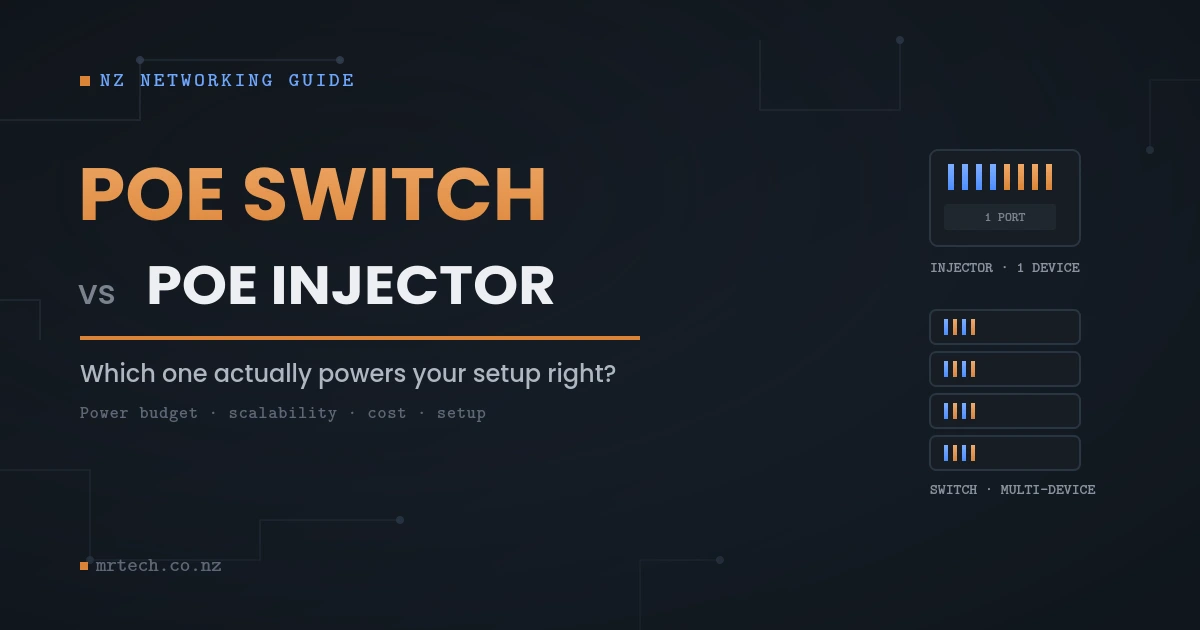
You’ve just bought a PoE security camera, and now you’re staring at your existing network switch realising it doesn’t supply power over the cable. Do you buy a PoE injector for $30, or replace the whole switch with a PoE model for $150+? This is the exact fork in the road most Kiwi homeowners and small businesses hit the first time they install PoE gear and the answer depends less on the device itself and more on what you’re building toward.
PoE Switch vs PoE Injector
This guide breaks down what a PoE switch and a PoE injector actually do differently, when each one is the right call, and where people commonly get the power budget wrong which is the detail that causes cameras to randomly drop offline months after installation.
What’s the Real Difference Between a PoE Switch and a PoE Injector?
A PoE switch is a network switch that supplies both data and power through its Ethernet ports, letting you connect and power multiple PoE devices from one box. A PoE injector is a single-port adapter that adds power to one existing Ethernet connection, typically used to retrofit power onto a non-PoE switch or router port.
Think of it this way: a PoE switch is built for power from the ground up, across every port. A PoE injector is a patch — a way to bolt PoE capability onto a network that wasn’t designed for it, one cable at a time.
Neither is inherently better. They solve different problems:
- PoE switch: replaces your existing switch (or adds a new one) and powers every connected PoE device through it
- PoE injector: sits between your existing non-PoE switch and a single PoE device, injecting power onto that one cable run
If you’re installing one camera on a network that already has spare switch ports, an injector is often the simpler, cheaper fix. If you’re wiring up four cameras, two access points, and an intercom, a PoE switch quickly becomes the more sensible foundation.
How PoE Actually Works (Quick Primer)
Power over Ethernet sends electrical power and data down the same Cat5e/Cat6 cable, removing the need for a separate power adapter and outlet at each device. This matters for cameras, access points, and VoIP phones that are often mounted somewhere with no nearby power point a soffit, a ceiling, an exterior wall.
There are three common PoE standards, and the standard matters because it determines how much power a device can draw:
| Standard | Max Power at Source | Typical Use |
|---|---|---|
| 802.3af (PoE) | 15.4W | Basic IP cameras, VoIP phones |
| 802.3at (PoE+) | 30W | PTZ cameras, higher-power access points |
| 802.3bt (PoE++) | 60–100W | High-power AP, multi-radio devices, some digital signage |
Before buying either an injector or a switch, check what standard your device actually needs. An 802.3af injector won’t reliably power a PoE+ camera, even if the cable and connector look identical.
PoE Switch vs PoE Injector Comparison Table
The core trade-off is scalability versus simplicity: a switch handles multiple devices with centralised management, while an injector is a low-cost, single-device fix that doesn’t touch your existing network setup.
| Factor | PoE Injector | PoE Switch |
|---|---|---|
| Devices powered | 1 per injector | Multiple (per port count) |
| Upfront cost | Low ($20–$60 typically) | Higher ($100–$500+ depending on ports/power budget) |
| Setup complexity | Plug-and-play, minimal config | Straightforward, but replaces existing switch |
| Scalability | Poor — one injector per device | Good — add devices within power budget |
| Management features | None | Often includes VLANs, port monitoring (managed models) |
| Best for | 1–2 devices, temporary/test setups | 3+ devices, business networks, planned installs |
| Failure impact | Only affects that one device | A switch failure can affect multiple devices |
When to Use a PoE Injector
A PoE injector makes sense when you are adding one or two PoE devices to a network that already has a working, non-PoE switch you get power without touching your existing setup or spending on hardware you don’t need yet.
Good scenarios for an injector:
- Single camera addition: you’ve got one new IP camera and don’t want to replace a perfectly good 24-port switch for it
- Temporary or test installs: trialling a PoE device before committing to permanent infrastructure
- Renting or leased premises: where replacing core network hardware isn’t practical or permitted
- Budget-constrained single device: an injector is usually the cheapest way to get one device powered and online
Pros:
- Low cost, no disruption to existing network
- Fast to install, no configuration needed
- Doesn’t require touching your main switch
Cons:
- Doesn’t scale each new device needs its own injector
- Adds another point of failure per cable run
- No centralised monitoring or management
- Cable clutter increases as device count grows
When to Use a PoE Switch
A PoE switch is the better choice once you’re powering three or more devices, want centralised control over your network, or you are planning to add more PoE hardware over the next year or two. It’s the infrastructure play rather than the quick fix.
Good scenarios for a switch:
- Multi-camera security systems: four, eight, or sixteen cameras all drawing power through one central switch
- Business networks: VoIP phones, access points, and cameras all on PoE, benefiting from managed features like VLANs and port-level monitoring
- Planned growth: you know you’ll add more devices later and don’t want to keep buying individual injectors
- Centralised troubleshooting: a managed PoE switch can show you per-port power draw and flag issues before a device fails outright
Pros:
- Scales cleanly as you add devices
- Centralised power budget management
- Managed models offer VLANs, port monitoring, and remote reboot per port
- Cleaner cable runs, single point of administration
Cons:
- Higher upfront cost
- Requires replacing or supplementing existing switch infrastructure
- A switch failure can take multiple devices offline at once
- Sizing the power budget correctly requires a bit more planning
Power Budget: The Detail Most Kiwi Buyers Miss
The single most common mistake in PoE installs isn’t the injector-vs-switch decision it’s buying a switch with a total power budget too small for the devices connected to it. A switch might have 24 PoE-capable ports but only enough total wattage to fully power 8–10 of them at once.
Here’s the problem in practice: you install eight 4K PTZ cameras on a switch rated for a total 130W power budget. Each camera draws close to 25W under load (especially with IR illuminators or motorised zoom running). The switch simply can’t supply that to every port simultaneously so ports further down the list get under-powered, and cameras start rebooting randomly, especially at night when IR and heaters draw more current.
Before buying a switch, check two numbers:
- Per-port maximum: how much power a single port can supply (matters for high-draw devices like PTZ cameras)
- Total power budget: how much power the switch can supply across all ports combined
Add up the realistic draw of every device you’ll connect, including headroom for devices that spike under load (PTZ motors, IR illuminators, cold-weather heaters), and make sure the switch’s total budget comfortably covers it not just barely meets it.
[Placeholder: insert a real client example or in-house test showing camera dropout caused by an undersized PoE budget, with before/after switch specs, to strengthen this section with firsthand evidence.]
Cost Comparison: Upfront vs Long-Term
An injector wins on upfront cost for a single device, but a switch usually wins on cost-per-device once you’re past two or three units buying individual injectors for each camera adds up faster than most people expect, and still leaves you without centralised management.
Rough NZ market comparison for planning purposes:
- 1 device: Injector is typically cheaper outright
- 2–3 devices: Roughly break-even, depending on switch tier
- 4+ devices: A PoE switch is almost always the better value, both in hardware cost per port and in reduced cable clutter and failure points
There’s also an indirect cost worth factoring in: time. Troubleshooting four separate injectors scattered around a roof cavity takes longer than checking port status on a single managed switch.
Mixing Injectors and Switches Is That OK?
Yes, using both in the same network is a common and legitimate approach, particularly when you’re expanding an existing non-PoE network incrementally rather than replacing it all at once. It’s not a compromise so much as a practical transition step.
This setup is common when:
- You have an existing non-PoE switch you don’t want to replace yet
- You’re adding one or two PoE devices now, with more planned later
- You want to test a device before committing to a full switch upgrade
The main thing to watch: don’t daisy-chain injectors and switches in ways that exceed cable length limits (100m max for standard Ethernet PoE runs) or introduce multiple power sources on the same cable run, which isn’t supported and can damage equipment.
Which One Should You Choose? A Decision Framework
Match the hardware to your device count and growth plans rather than upfront price alone the cheapest option today isn’t always the cheapest option once you’ve added your third or fourth device.
- 1 device, no plans to expand → PoE injector
- 1 device now, likely to add more later → Consider a small PoE switch now to avoid buying injectors twice
- 2–3 devices → Either works; compare total cost including cabling and time
- 4+ devices → PoE switch, sized with headroom on the total power budget
- Business network with VoIP, cameras, and Wi-Fi APs → Managed PoE switch, for the monitoring and VLAN separation alone
- Temporary or test install → Injector, since it’s easy to remove without touching your main network
FAQs
Can a PoE injector power more than one device?
No, a standard PoE injector has a single output port and powers one device at a time. If you need to power multiple devices without a switch, you’d need one injector per device, which quickly becomes impractical past two or three units.
Do I need a PoE switch for security cameras?
Not necessarily for one or two cameras, where an injector works fine, but a PoE switch becomes the more practical and cost-effective option once you’re running three or more cameras, especially with an NVR-based system.
Is a PoE injector as reliable as a PoE switch?
A quality injector is reliable for single-device use, but it does add an extra point of failure per cable run compared to a switch’s centralised power delivery. For business-critical devices, many installers prefer switches for the added monitoring and failover visibility.
Can I use a PoE injector with any switch?
Yes, a PoE injector works with any standard non-PoE switch since it adds power after the data leaves the switch, on the cable running to the device. Just make sure the injector’s output standard (802.3af/at/bt) matches what your device requires.
What happens if I exceed a PoE switch’s power budget?
Ports may not power on at all, or devices may experience intermittent power drops, especially high-draw devices like PTZ cameras during motor or IR use. Always check the switch’s total power budget against the realistic combined draw of your connected devices before installing.
Do PoE switches cost more to run than injectors?
A PoE switch typically draws more total power than a single injector simply because it’s supplying multiple devices, but the per-device efficiency is usually comparable. The bigger cost difference is upfront hardware cost, not ongoing running cost.
Can I mix PoE and non-PoE devices on the same switch?
Yes, PoE switches supply power only to devices that request it during the initial handshake, so non-PoE devices like regular laptops or desktop PCs connect and function normally on the same switch without issue.
 No products in the cart.