
You’ve decided you want cameras. Good. Now comes the part most people skip past deciding where the footage actually lives. That single choice determines what cable gets pulled through your ceiling, what you pay every month for the next five years, and whether you can hand Police something usable at 9am on a Monday after a break-in. Getting NVR vs DVR vs cloud CCTV storage right in NZ conditions matters more than which brand of camera you bolt to the wall.
Here’s how the three options actually compare, and which one fits your building.
The short answer: which storage type suits which NZ setup
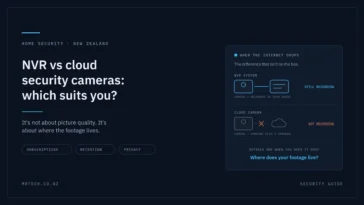
If you’re wiring a new install, an NVR with IP cameras is the default choice for most New Zealand homes and small businesses better resolution, single-cable PoE runs, no monthly fee. A DVR only makes sense if you already have coax in the walls and want to reuse it. Cloud storage earns its keep when you’re running multiple sites, or when the recorder itself is likely to be stolen.
Quick sort:
- Pick a DVR if there’s existing coax cabling and the budget won’t stretch to a rewire.
- Pick an NVR if it’s a new install, you want 4K or audio, or you need more than basic motion detection.
- Pick cloud (or hybrid) if you manage several locations, have no safe place to hide a recorder, or genuinely don’t want to maintain hardware.
- Pick hybrid — local NVR plus selective cloud backup if you want the resolution and retention of local storage with an off-site copy of the important clips. For most commercial sites, this is the honest answer.
What each system actually does
DVR analogue cameras, coax cable, processing at the recorder
A Digital Video Recorder takes an analogue signal from cameras over coaxial cable, then converts and compresses it at the recorder. The camera is essentially a lens and a sensor; the thinking happens in the box.
Modern HD-over-coax standards (HD-TVI, HD-CVI, AHD) push 1080p and in some cases 4K down that same cable, which is why plenty of NZ commercial buildings from the 2000s are still running DVRs perfectly well. The limits show up elsewhere: cameras usually need a separate power run, audio is rarely supported, and the analytics are basic.
NVR IP cameras, network cable, processing at the camera
A Network Video Recorder receives an already-digital stream over Cat5e/Cat6. The camera does the encoding and often the analytics person and vehicle classification, line crossing, loitering then sends a finished stream to the recorder.
The practical win in New Zealand is Power over Ethernet. One cable per camera carries both data and power, which cuts install labour noticeably on a two-storey home or a fit-out where every hour on the ladder costs. You also get higher resolutions, two-way audio on many models, and analytics that reduce false alerts from moths and moving branches.
Cloud and hybrid footage off-site, retention as a subscription
Cloud CCTV uploads footage to a provider’s servers and you pay a monthly fee per camera for a set retention window. Most current systems are technically hybrid: the camera or a small local appliance keeps a rolling buffer on an SD card or SSD, then syncs events (or everything, if your upload can handle it) to the cloud.
The appeal is real nothing on-site to steal, no drive to replace, browser access from anywhere. The catch is equally real, and in New Zealand it’s usually your upload speed.
NVR vs DVR vs cloud: side-by-side comparison
| DVR | NVR | Cloud / Hybrid | |
|---|---|---|---|
| Camera type | Analogue (HD-TVI/CVI/AHD) | IP | IP, usually vendor-locked |
| Cabling | Coax + separate power | Single Cat5e/6 (PoE) | Cat5e/6 or Wi-Fi |
| Typical max resolution | 1080p–4K (model dependent) | 4K–12MP+ | Often capped to protect bandwidth |
| Audio | Rare | Common, often two-way | Common |
| Retention | Limited by internal drives | Limited by internal drives | Limited by your plan |
| Upfront cost (NZD, indicative) | Lowest | Moderate | Lowest hardware, ongoing fee |
| Ongoing cost | Drive replacement only | Drive replacement only | ~$10–$25 per camera per month |
| Internet needed? | Only for remote viewing | Only for remote viewing | Yes, continuously |
| If the recorder is stolen | Footage gone | Footage gone | Footage safe |
| Scales to multiple sites | Poorly | Per-site, with software | Well |
| Best fit | Reusing existing coax | Most new NZ installs | Multi-site, low-maintenance |
The NZ-specific factors that actually decide this
Your upload speed, not your download speed
This is where cloud CCTV plans quietly fall over. A 4MP camera streaming H.265 continuously uses roughly 2–4 Mbps. Eight of them is 16–32 Mbps of sustained upload, all day, every day and that’s before anyone in the building tries to join a video call.
On a Fibre Max plan with 500 Mbps upload, no problem. On a standard fibre plan with 100 Mbps upload, still fine. On a fixed-wireless or rural connection with 10–20 Mbps upload, an eight-camera cloud system will either degrade your internet or silently drop quality. Check your actual upload figure before anyone quotes you a cloud subscription.
Rural, lifestyle-block and satellite connections
Two problems compound outside town. First, upload capacity and data usage continuous cloud recording can push well past a terabyte a month per site. Second, CGNAT: many rural wireless and satellite connections don’t hand out a public IP address, which complicates remote access to a local NVR too.
The workable pattern for rural NZ properties is local-first: an NVR doing the heavy recording on-site, with only motion-triggered clips from the gate and shed pushed off-site. You get the evidence copy without saturating the connection.
Power cuts and weather events
Storm seasons have made this a live question for a lot of NZ property owners. A DVR or NVR with no UPS simply stops recording and the cameras stop too, since PoE power comes from the recorder. Cloud systems fail the same way: no power at the site means no cameras, regardless of where the footage would have gone.
A modest UPS sized for the recorder plus PoE load will typically hold a small system through the short outages that make up most events. It’s the cheapest reliability upgrade in the whole install.
Privacy Act 2020 and where your footage is stored
CCTV footage of identifiable people is personal information, and the Privacy Act 2020 applies whether you’re a business or a landlord.
Three principles matter most here:
- IPP 5 — you must protect footage with reasonable security safeguards. Default recorder passwords fail this test.
- IPP 9 — don’t keep footage longer than you need it for the purpose you collected it.
- IPP 12 — if you disclose personal information to an overseas provider, you need reasonable belief that comparable protections apply. Worth asking any cloud vendor exactly which country your footage sits in.
People also have a right to request footage of themselves under IPP 6. If you can’t export a single clip without handing over everyone else’s face, you have a workflow problem, not just a storage one.
The Office of the Privacy Commissioner publishes CCTV guidance that’s genuinely readable worth twenty minutes before you install.
Insurance and Police evidence
Ask two questions of any system before you buy: can it export a timestamped clip in a standard format, and can you do it yourself without ringing an installer? Proprietary export formats that only open in the vendor’s own player create friction exactly when you’re stressed and time-poor.
Retention windows matter here too. A theft discovered on a Tuesday might have happened over a long weekend, and internal issues often surface weeks later.
Cost over five years, not day one
Local storage is cheaper over time; cloud is cheaper on day one. That’s the whole trade.
Take a six-camera small business:
- NVR route: recorder, cameras, drives and install upfront. Ongoing cost is one drive replacement somewhere around years three to five, plus power.
- Cloud route: cameras and a bridge upfront, then a per-camera monthly fee. At $15 per camera per month, six cameras is $90/month — $5,400 over five years, on top of the hardware.
Cloud can still be the right call. Staff time spent maintaining recorders isn’t free either, and a stolen NVR that takes the footage with it is an expensive kind of cheap. Just make the comparison over the life of the system, not the first invoice.
Retention: how many days do you really need?
Most NZ homes are well served by 14–30 days. Commercial sites usually want 30–90, driven by insurance requirements, staff rosters and how long it takes for a discrepancy to surface. Longer isn’t automatically better IPP 9 cuts the other way.
Rough sizing for continuous H.265 recording:
| Cameras | Resolution | 14 days | 30 days |
|---|---|---|---|
| 4 | 4MP | ~1.5 TB | ~3 TB |
| 8 | 4MP | ~3 TB | ~6 TB |
| 8 | 8MP (4K) | ~6 TB | ~12 TB |
These are indicative real figures move with bitrate, frame rate and scene activity. Smart detection recording (person/vehicle only) can cut storage substantially, but it also means anything the analytics miss was never recorded. On entry points and tills, record continuously.
Use surveillance-rated drives. Desktop drives aren’t built for constant write cycles and they fail early in this role.
Pros and cons at a glance
DVR
- ✅ Reuses existing coax; lowest upfront cost; no subscription
- ❌ Extra power runs; limited audio and analytics; harder to expand
NVR
- ✅ Single PoE cable; highest resolutions; strong analytics; no subscription
- ❌ Higher hardware cost; recorder is a theft target; needs network competence
Cloud / hybrid
- ✅ Footage survives theft or fire; no drives to maintain; easy multi-site access
- ❌ Ongoing fees; depends on upload speed; possible offshore data storage
Common NZ setups and what we’d recommend
Standalone home, 4–8 cameras
Local NVR, PoE, surveillance drive sized for 30 days, UPS on the recorder. Add cloud backup for the front door and driveway only.
Retail or hospitality with a POS system
NVR on-site with 60–90 day retention, plus cloud sync for till-area cameras. That’s where disputes happen and where you want an off-site copy.
Multi-site trades or franchise business
This is where cloud stops being a compromise. Central user management and one login across sites saves real administrative time.
Rural property house, shed, gate
Local-first, always. Motion-triggered clips from the gate pushed off-site; everything else stays on the NVR.
Upgrading an existing DVR without ripping out the coax
You may not need a rewire. Hybrid recorders accept both analogue and IP inputs, so you can keep working analogue cameras on the existing coax and add IP cameras where resolution actually matters the front entrance, the till, the yard gate.
Ethernet-over-coax adapters are another route, letting IP cameras run on existing coaxial runs. It’s a sensible staged migration.
When it isn’t worth it: if the coax is corroded, undersized or badly terminated, you’re building on a bad foundation. Pull new cable.
Mistakes that cost people footage
- Consumer drives in a recorder. They fail under continuous writes.
- No UPS. Power cut, no recording, and outages cluster with storms.
- Motion-only recording everywhere. Gaps appear exactly where you need continuity.
- Recorders exposed directly to the internet. Use the manufacturer’s P2P service or a VPN — never a raw port forward.
- Default passwords. Still the single most common failure, and an IPP 5 problem.
- Never testing an export. Do it once, now, while nothing’s wrong.
- Cameras aimed too wide. Recognition needs pixels on faces, not a scenic view of the car park.
How to choose, in five questions
- Is there usable coax already in the building?
- What’s your actual upload speed?
- How many days of footage do you need to keep, and why?
- Is the recorder somewhere a burglar won’t find in thirty seconds?
- Are you managing one site or several?
Answer those honestly and the choice usually makes itself. If you’d rather not guess, the team at MrTech can spec a system around your building, your connection and your retention needs no subscription pressure either way.
FAQs
Can I use IP cameras with a DVR?
Not with a traditional DVR. You’d need a hybrid recorder that accepts both analogue and IP inputs, which is a common upgrade path when you want to add a few high-resolution cameras without rewiring.
Do I need internet for an NVR to work?
No. An NVR records perfectly well with no internet connection at all. You only need internet for remote viewing on your phone, notifications, and automatic time sync.
Is cloud CCTV legal in New Zealand?
Yes, but the Privacy Act 2020 still applies. If your provider stores footage overseas, IPP 12 requires reasonable belief that comparable privacy protections apply so ask where the data centre is before you sign up.
How much internet does cloud CCTV use?
Roughly 2–4 Mbps of continuous upload per 4MP camera on full-time recording. Event-only recording uses far less. Check your plan’s upload speed and any data cap before committing.
How long should I keep CCTV footage in NZ?
Most homes are fine with 14–30 days; commercial sites often run 30–90. Keep it only as long as you need it for the purpose you collected it, since retention beyond that runs against IPP 9.
Can Police access my CCTV footage?
Police can request footage, and you can choose to provide it. Being able to export a clean, timestamped clip yourself makes that far easier test the export process before you ever need it.
Which lasts longer, a DVR or an NVR?
Both recorders have similar service lives. The hard drive is the wearing part, and surveillance-rated drives in either system typically need replacing somewhere in the three-to-five year range.

 No products in the cart.