
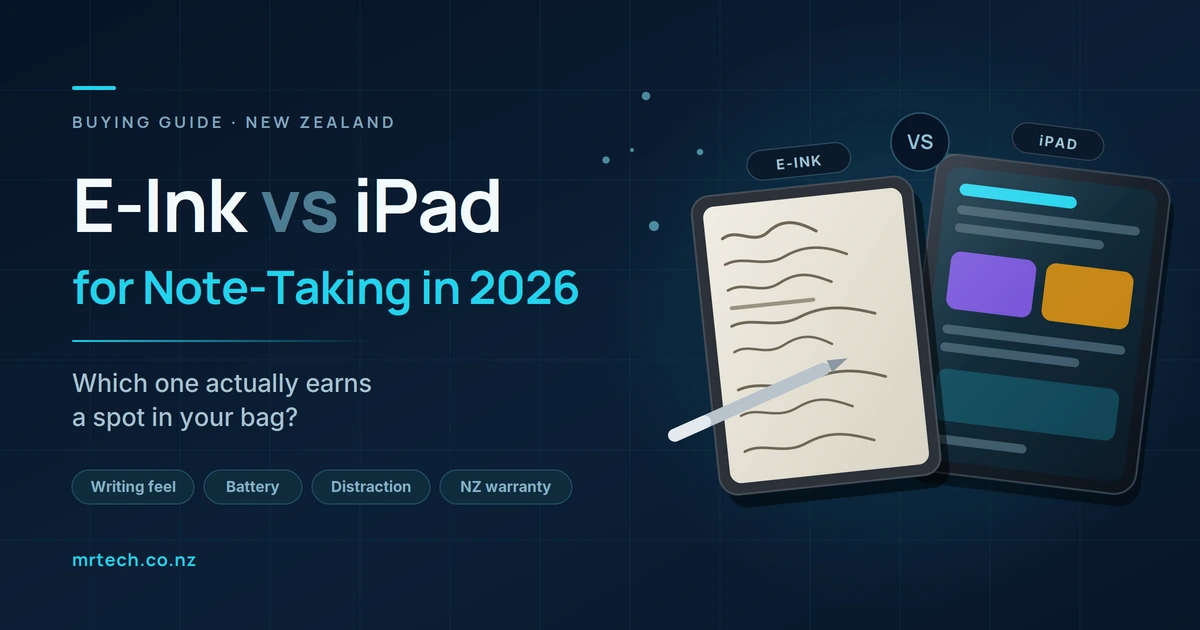
You already own a laptop and a phone. What you’re weighing up is a third device that does one job writing things down and reading documents and whether it justifies $600 to $1,500. That’s the real question behind e-ink vs iPad for note-taking, and most of the advice online is answering a version of it that expired around 2022.
The old framing was simple: e-ink is distraction-free, the iPad is versatile. Both halves of that are now weaker than they used to be. Here’s what actually separates them in 2026, and which parts of the decision matter in New Zealand specifically.
E-Ink vs iPad for Note-Taking in 2026
The short answer
Choose e-ink if writing and reading are the job and you want a device that can’t compete for your attention. Choose an iPad if notes are one task among several and you’d rather carry one device than two. Neither is objectively better they’re built around different assumptions about what you’ll do with them.
The quick decision rule: if you can name three things besides note-taking you’d use it for weekly, buy the iPad. If you can’t, buy e-ink.
What changed in 2026 (and why old comparisons mislead)
The two categories moved toward each other. Colour e-ink went mainstream, e-ink devices gained AI features and real app ecosystems, and Apple addressed the long-standing complaint about writing on glass. Several arguments that used to decide this comparison no longer hold.
E-ink caught up on colour and intelligence
Colour is no longer a novelty on e-paper. The reMarkable Paper Pro, Kindle Scribe Colorsoft and Boox Note Air5 C all ship colour panels, and while the contrast trade-off is real colour layers dull the whites slightly highlighting and diagrams now work properly.
Latency closed too. reMarkable quotes around 12ms on the Paper Pro, down from roughly 21ms on the reMarkable 2, and competitors have converged into a similar range. That’s below the threshold where most people perceive lag.
The bigger shift is software. Kindle Scribe models now handle handwriting search, note summarisation and handwriting-to-text conversion. Boox devices run full Android 15 with the Google Play Store, so OneNote, Notion and a browser all install like they would on any tablet. “E-ink can’t run apps” stopped being true a while ago.
The iPad answered the writing-feel complaint
The classic knock on the iPad was writing on slippery glass. Apple’s nano-texture glass option on the Pro models adds genuine surface friction, and third-party matte protectors do a cheaper version of the same thing. Apple Pencil Pro added squeeze and barrel-roll controls, and handwriting recognition in recent iPadOS releases handles messy script far better than it used to.
If you tried an iPad for notes in 2020 and hated it, the device you’d be buying now is a different proposition.
What didn’t converge
Three things stayed put. E-ink still can’t do smooth video or fast scrolling. Battery life is still measured in weeks on one and hours on the other. And an iPad is still a general-purpose computer whether you want it to be or not.
Those three gaps are what the rest of this comes down to.
Head-to-head: e-ink vs iPad for note-taking
| E-ink tablet | iPad | |
|---|---|---|
| Screen type | Reflective e-paper | Backlit LCD or OLED |
| Writing feel | Textured, paper-like | Smooth glass; matte options available |
| Pen latency | ~12–20ms | Single-digit to low double-digit ms |
| Refresh rate | Slow; ghosting on some panels | Up to 120Hz, no ghosting |
| Outdoor readability | Excellent in direct sun | Fights glare, needs high brightness |
| Battery life | Days to weeks | Roughly a working day |
| Colour | Available, muted | Full colour, high saturation |
| App ecosystem | Closed (reMarkable, Kindle) or Android (Boox) | Full iPadOS App Store |
| Handwriting search | Yes on most 2026 models | Yes, across major apps |
| Distraction level | Low by design | High unless actively managed |
| Weight | Typically 400–500g | 460–680g depending on model |
| Indicative NZ price | ~$500–1,100 | ~$700–2,500+ |
| NZ warranty support | Usually international RMA | Authorised service providers in NZ |
| Resale market in NZ | Thin | Deep |
Prices are indicative ranges including accessories and will vary — check current NZ pricing before budgeting.
Writing feel and latency : how much does it actually matter?
E-ink still wins on texture and the iPad wins on responsiveness. But both are now good enough that writing feel shouldn’t be your deciding factor unless you write for several hours a day. Most people adapt to either within a week.
Why e-ink feels like paper
Two reasons. The surface has microtexture, so the nib meets resistance instead of gliding. And the ink layer sits nearly flush with the surface, so the line appears directly under the pen tip rather than a millimetre below it behind a layer of glass. That parallax gap is subtle, and it’s the thing your brain notices without being able to name.
Where the iPad is objectively better
Fast strokes track more cleanly at 120Hz. There’s no ghosting, no partial-refresh smearing when you erase, and colour appears instantly. Undo is infinite, layers exist, and you can drop an image into a page mid-sentence. For anything approaching diagramming or sketching, it isn’t close.
The honest test
Write on both before you commit. Ten minutes in a shop tells you more than any spec sheet, because this is genuinely a preference rather than a measurement.
Eye strain, battery, and the case for e-ink
E-ink is reflective rather than emissive — it bounces ambient light back at you the way paper does, instead of shining light at your eyes. That makes it comfortable in bright conditions and lets it run for weeks per charge instead of hours.
Outdoors in New Zealand
This is a bigger deal here than most overseas reviews account for. New Zealand’s summer UV index runs high by international standards, and an LCD in that light means cranking brightness and still fighting reflections. E-ink gets better in direct sun.
If you take notes on site visits, at outdoor jobs, on a boat, or reading on a deck in February, that’s a genuine functional advantage rather than a preference.
Battery in real use
An e-ink device on moderate use goes one to three weeks between charges. An iPad gives you around a working day. During an exam block, a conference, a long-haul flight or a week off-grid, that difference stops being trivia and becomes the reason one device is in your bag.
The eye-strain claim, handled honestly
E-ink reduces glare and eliminates backlight flicker, and plenty of people report less fatigue during long reading sessions. What the evidence doesn’t support is a strong claim about long-term eye health. Treat comfort as the benefit it’s real and measurable in how long you can read without stopping and be sceptical of anyone promising more than that.
Distraction the difference that survives every hardware update
An iPad can do everything, which means it can interrupt you with everything. An e-ink device is slow and awkward at exactly the things that pull you away from work, and that slowness is the feature rather than a limitation.
Why “just turn on Focus mode” misses the point
Settings rely on willpower. Hardware limits don’t. A device where opening Instagram means watching a greyscale feed stutter through partial refreshes doesn’t need a Focus mode the friction does the work. The ceiling on what a device can do matters more than what you’ve configured it not to do.
That’s the single argument for e-ink that no firmware update on either side is going to erode.
When versatility wins instead
For a student recording a lecture while annotating slides while checking the reading list, that same ceiling is just an obstacle. Split-screen research, video, browser tabs and a note app running together is an iPad job. Buying e-ink for that workflow means buying a second device to do the rest.
What each one is genuinely better at
Pick e-ink if…
- Long reading sessions are a big part of your day
- You’re in back-to-back meetings and want to take notes without a screen glowing at people
- You’ve tried and failed to stop yourself getting distracted by a tablet
- You work outdoors or move between sites
- You want to stop thinking about charging things
Pick an iPad if…
- You’re buying one device and it has to cover everything
- Colour matters for your annotation or study system
- You record lectures, watch video, or need a browser alongside your notes
- You draw, design, or mark up images
- You already own a Mac and iPhone and want handoff to just work
The case for both or neither
A common setup among people who’ve tried both: laptop plus e-ink tablet, no iPad at all. The laptop handles everything the iPad would, the e-ink handles notes and reading, and neither device pretends to be the other. It often costs less than a well-specced iPad with a keyboard and pencil, and each device is better at its job.
The New Zealand factor most reviews ignore
Overseas reviews price and service these devices for the US market. In New Zealand the calculation shifts, because of GST on imports, warranty logistics, and whether the Consumer Guarantees Act applies to your purchase at all.
Consumer Guarantees Act protection
When you buy from a New Zealand retailer, the Consumer Guarantees Act gives you rights against that retailer if the product fails — repair, replacement or refund depending on the fault. Those obligations sit with the trader who sold it to you.
Order the same device direct from an overseas brand’s website and you’re generally relying on that company’s own warranty terms and whatever consumer law applies in their jurisdiction. It’s not that you have nothing. It’s that the practical path to a remedy is much longer.
This is the single most under-discussed factor in NZ tablet buying, and it applies far more to e-ink brands than to Apple, because most e-ink brands have no local retail presence.
What happens when it breaks
Apple doesn’t operate retail stores in New Zealand, but it does have a network of authorised service providers, so a repair is a domestic errand. A failed reMarkable, Supernote or Boox usually means an international RMA packaging it up, shipping it offshore, and waiting weeks each direction.
Neither is a reason to avoid e-ink. It’s a reason to buy from someone in New Zealand who’ll handle it for you.
Landed cost, not sticker price
The US price you see quoted in reviews isn’t what you’ll pay. Add GST, freight, and the accessories that are usually priced separately the pen, the folio, replacement nibs. On e-ink devices in particular, a pen and cover can add a meaningful chunk to the total, so compare complete setups rather than base units.
Resale in New Zealand
iPads have a deep Trade Me market and hold value predictably. E-ink devices sell into a much thinner local market, which means slower sales and less certain pricing. Worth factoring in if you upgrade every couple of years.
Our recommendation
For most New Zealand buyers whose main job is writing and reading, an e-ink tablet bought from a local retailer is the better purchase you get the battery life, the outdoor performance and the focus, with domestic support behind it. The moment you need one device to cover everything, that flips entirely and the iPad wins on versatility alone.
Before you decide:
- List what you’d use it for weekly. Three or more non-note tasks means iPad.
- Be honest about distraction — if it’s a real problem for you, weight it heavily.
- Check whether you need colour, or just think you do.
- Write on both in person if you can.
- Compare complete setups including pen and cover, not base prices.
- Buy from a New Zealand retailer so the Consumer Guarantees Act is on your side.
If you’d like a hand narrowing it down, the team at Mr Tech can talk you through the trade-offs for how you actually work.
FAQs
Is an e-ink tablet better than an iPad for taking notes?
For pure note-taking and reading, most people find e-ink more comfortable better texture, weeks of battery, and no distractions. The iPad wins on speed, colour and everything that isn’t note-taking. It depends on whether the device has one job or many.
Can you take notes on a Kindle Scribe like you can on a reMarkable?
Yes, and 2026 Scribe models include handwriting search, summarisation and handwriting-to-text. The reMarkable offers a more focused writing environment; the Scribe is stronger if you also read Kindle books and want both in one device.
Is an iPad bad for your eyes compared to e-ink?
E-ink reduces glare and backlight flicker, and many people report less fatigue over long sessions. Evidence on long-term eye health is limited, so treat it as a comfort advantage rather than a medical one.
Which is better for university students in New Zealand?
It depends on your workload. If you mostly annotate PDF readings and write lecture notes, e-ink is excellent and the battery lasts a full exam block. If you record lectures, watch course video, or run a browser beside your notes, the iPad is the more practical single device.
Can e-ink tablets open PDFs and Word documents?
PDFs, yes, on every major model, with annotation. Word documents vary Android-based devices like Boox can run the Office apps directly, while closed platforms typically require converting to PDF first.
How long do e-ink tablet batteries last?
Usually one to three weeks on moderate use, depending on the front light and Wi-Fi. That compares with roughly a working day for an iPad.
Is it worth buying an e-ink tablet if I already own an iPad?
Only if the iPad isn’t working for you usually because of distraction, eye fatigue during long reading, or battery anxiety. If you’re happily taking notes on your iPad already, a second device is hard to justify.
 No products in the cart.