
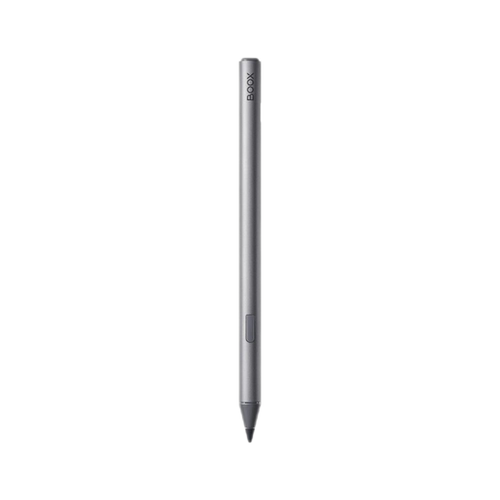
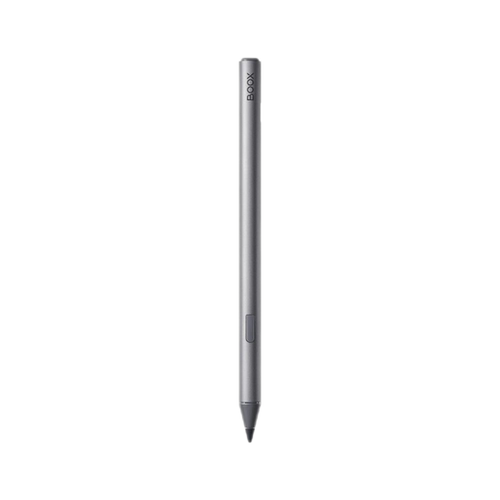
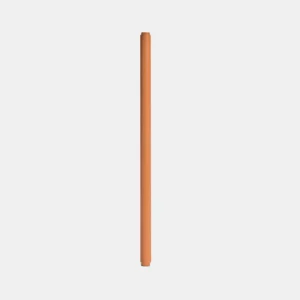
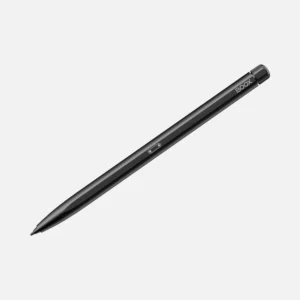
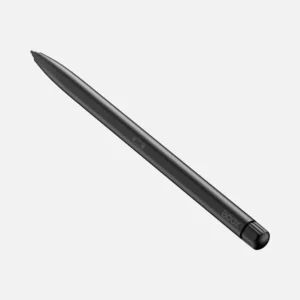
BOOX InkSense Active Stylus
The pen that turns a Go 7 into a note-taking tablet
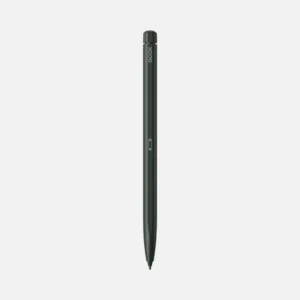
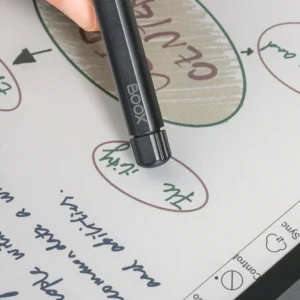
The Go 7 and Go Color 7 (Gen II) both support handwriting but neither ships with a stylus. Without one, they’re excellent 7-inch e-readers with a page-turn button interface. With the InkSense, they become proper compact note-taking devices annotate PDFs, jot ideas mid-meeting, sketch a diagram next to a book passage, mark up a manga panel.
The InkSense is the pen BOOX built specifically for this pair. Not compatible with older BOOX devices, not compatible with newer ones designed for exactly two tablets. That constraint is what lets it work so cleanly with them, without Bluetooth pairing or menu setup.
What makes it different from a plain active pen
Two things:
The side button is genuinely useful. Press it once to switch between pen and eraser without touching the screen. Long-press it to open a shortcut menu (highlighter, colour picker, custom tool depending on your notes app). For anyone who does more than casual note-taking, this saves several taps per page. No other current BOOX stylus in the sub-flagship range has this the InkSpire (Tab X C) doesn’t, the Pen Plus (Note Max, Go 10.3 Gen 1) doesn’t.
The precision tip and pressure response are tuned for the Kaleido display. The 1 mm POM (polyoxymethylene) tip glides smoothly on the Go Color 7’s glass front without dragging or skipping, and the 4,096 pressure levels give real variation between light strokes and firm ones. Compared to a passive capacitive stylus (the “$5 pen you use on a phone” kind), the difference is immediate.
Active pen vs EMR an honest note for BOOX owners upgrading
If you’ve owned an older BOOX with a Pen Plus (Wacom EMR technology), the InkSense is a category shift worth understanding:
| EMR (Pen Plus) | Active pen (InkSense) | |
|---|---|---|
| Needs battery | No — passive, powered by tablet’s induction field | Yes — 65 mAh, USB-C rechargeable |
| Writing accuracy | Slightly better on fast diagonal strokes | Very good, minor lag on fastest strokes |
| Side button | No | Yes — multi-function |
| Compatible with | Note Max, older Go 10.3, Note Air, Nova Air | Go 7, Go Color 7 (Gen II) only |
| Never runs out | Yes | Charges every 4–6 weeks |
Neither is universally better. EMR wins on “just works, never dead battery.” Active pens win on side-button functionality and cost less to manufacture. BOOX’s newer devices have moved to active pen tech, so if you’re on a Go 7 or Go Color 7 (Gen II), this is the pen you need no EMR option exists for these tablets.
Full specifications
| Attribute | Detail |
|---|---|
| Model | BOOX InkSense Active Stylus |
| Compatible devices | BOOX Go 7 and Go Color 7 (Gen II) only |
| Pressure sensitivity | 4,096 levels |
| Tilt support | Yes |
| Tip | 1 mm POM, replaceable |
| Side button | Multi-function (pen/eraser/tools) |
| Pairing | Direct active pairing (no Bluetooth) |
| Battery | 65 mAh Li-polymer |
| Charging | USB Type-C |
| Weight | Approximately 12 g |
| Diameter | 9 mm (ergonomic grip) |
| Length | 154 mm (with nib) |
| Body material | Metal |
| Type | Genuine BOOX accessory |
What’s in the box
- 1 × BOOX InkSense Active Stylus
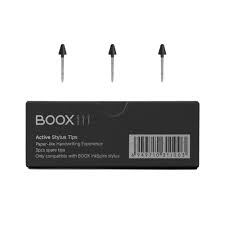
- 3 × Replacement POM tips (nibs)
- USB-C charging cable (check with your reseller some markets ship without the cable)
- Quick reference guide
Compatibility read this before ordering
The InkSense works with two devices only:
- ✅ BOOX Go 7 (monochrome)
- ✅ BOOX Go Color 7 (Gen II) — the current 2025+ generation
It does not work with:
- ❌ BOOX Go Color 7 (Gen I) — the original 2024 version has no stylus support at all
- ❌ BOOX Tab X C — uses the InkSpire (different pen, magnetic charging)
- ❌ BOOX Note Max, Go 10.3 (Gen 1) — use the EMR Pen Plus
- ❌ BOOX Note Air series, Nova Air, older devices — use EMR pens
- ❌ BOOX Go 10.3 (Gen II) and Go 6 (Gen II) and Palma2 Pro — use the newer InkSense Plus (see below)
If you’re not certain which BOOX device you own, check the model name against your original order confirmation before ordering.
InkSense vs InkSense Plus — which to buy
BOOX has released a newer variant called the InkSense Plus with wider compatibility. Quick decision guide:
- Buy the InkSense (this SKU) if you own a Go 7 or Go Color 7 (Gen II) and only need those covered
- Buy the InkSense Plus if you own — or plan to own — a Palma2 Pro, Go 10.3 (Gen II), Go 10.3 (Gen II) Lumi, or Go 6 (Gen II), or if you want a pen that works across multiple current BOOX devices
The InkSense and InkSense Plus feel similar in the hand and share the same pressure/tilt/side-button experience. The only meaningful difference is which devices each supports.
What the side button actually does
By default in BOOX’s NeoReader app:
- Single press — toggle between pen and eraser
- Long press — activate the last-used tool (highlighter, shape tool, etc.)
In third-party Android apps (OneNote, Nebo, Squid), the side button’s behaviour depends on the app’s stylus configuration — most active-pen-aware apps will recognise the button press as an eraser trigger, but some require you to remap it in the app’s settings.
Charging and battery life
USB-C charging via the included cable. A full charge from empty takes about 60–90 minutes and gives roughly 60–100 hours of active writing, depending on how often the side button and tilt sensing are being used. Standby time between uses is much longer the stylus sleeps when idle, drawing negligible power.
Most users charge it every 4–6 weeks in normal daily use. Because it charges via USB-C (not proprietary magnetic contact like the InkSpire), you can top it up from any phone charger, laptop, or car USB port — genuinely convenient when you notice it’s low.
Care and tip replacement
The 1 mm POM tip wears more slowly than softer felt-tip alternatives, but frequent heavy writing sessions will eventually leave it visibly rounded. Expect the original tip to last 8–14 months of daily use. The three included spares should cover roughly 3 years for typical use.
Replace a tip by gripping it firmly with tweezers (or the included tool if provided) and pulling it straight out, then press a fresh tip in until it clicks. Should take 20 seconds.

 No products in the cart.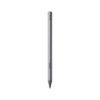
Reviews
There are no reviews yet.