
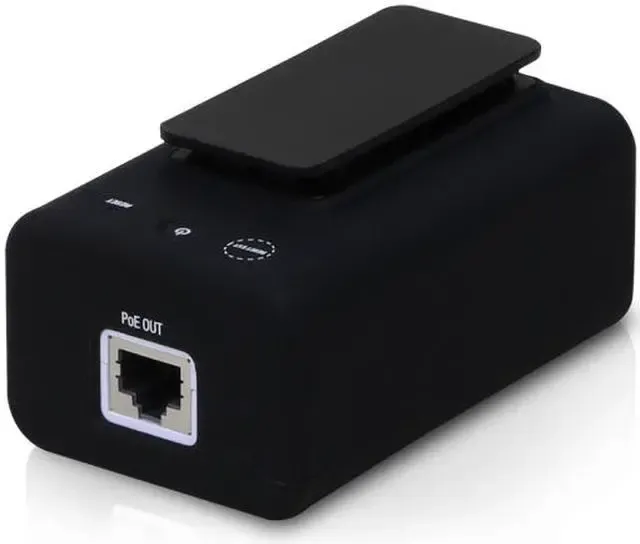
U-Installer airMAX CPE Tool – The Ultimate Solution for Fast, Wireless Installations
Streamline Your airMAX Deployments with a Portable, WiFi Enabled Installer Tool
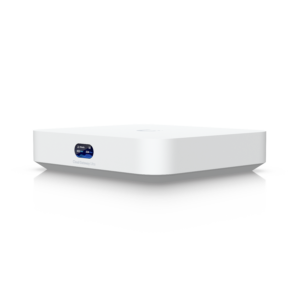
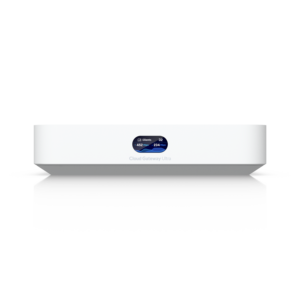
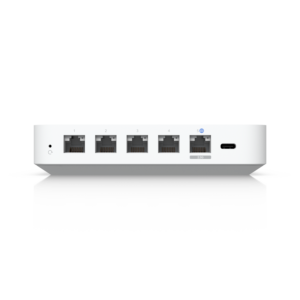
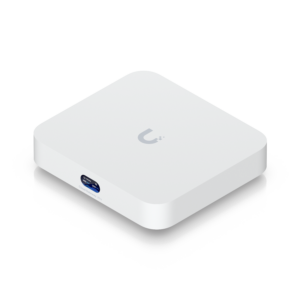
When deploying airMAX CPE devices, having the right tool means the difference between a smooth, efficient setup and a frustrating installation process. The U-Installer airMAX CPE Tool from Ubiquiti is a compact, WiFi-enabled device that powers and configures airMAX CPEs with ease. Designed for wireless professionals, installers, WISPs, and IT technicians, this tool is a must-have for anyone working with airMAX systems.
Why the U-Installer is a Game-Changer for airMAX Installations
1. Wireless Configuration via Built-In WiFi
Say goodbye to long Ethernet cables. The U-Installer creates a dedicated WiFi access point, allowing you to connect your smartphone or tablet directly to the airMAX CPE during setup.
Real-time configuration using the UMobile app
No tethering required work remotely from rooftops, towers, or any high-access points
Faster adjustments and signal alignment without needing a laptop or wired connection
2. Integrated 24V Passive PoE Output
Power your airMAX CPE device directly with the built-in 24V PoE injector. No need for bulky power bricks or PoE switches.
Ideal for field setups in remote or elevated locations
Simplifies diagnostics and troubleshooting
Enables instant power cycling without disconnecting cables
3. Full Compatibility with UMobile App
Configure, align, and monitor your airMAX CPE through Ubiquiti’s UMobile app, wirelessly connected via the U-Installer.
Automatic device detection and setup
Precise antenna alignment using real-time signal strength indicators
Push firmware updates and monitor performance live
4. Lightweight, Portable, and Durable
Small enough to fit in your pocket yet rugged enough for outdoor use, the U-Installer is built for real-world conditions.
Weighs less than a mobile phone
Weather-resistant casing
Simple plug-and-play usability for beginners and professionals alike
How to Use the U-Installer – Step-by-Step
Connect Ethernet cable from the U-Installer to your airMAX CPE.
Power on the U-Installer to activate the 24V PoE output.
Join the Wi-Fi network broadcasted by the U-Installer.
Launch the UMobile app, which will detect your device.
Align the antenna and configure device settings.
Finalize the setup, test performance, and disconnect.
Who Should Use the U-Installer?
Wireless Internet Service Providers (WISPs): Reduce setup time and improve accuracy.
Field Installers & Technicians: Speed up your workflow with wireless control and built-in power.
IT Professionals: Simplify deployment in enterprise or industrial networks.
DIY Network Builders: Easy to use for home or small business installations.
Conclusion – Your Must-Have airMAX Installation Companion
Whether you’re managing large-scale wireless networks or setting up a single outdoor CPE, the U-Installer airMAX CPE Tool delivers portability, flexibility, and efficiency. Eliminate extra gear, skip the cables, and gain full control over every installation with one powerful, pocket-sized device.
Frequently Asked Questions (FAQs)
Q1: What devices are compatible with the U-Installer?
A: The U-Installer is specifically designed for Ubiquiti airMAX CPE devices and works seamlessly with the UMobile app.
Q2: Do I need an internet connection to use the U-Installer?
A: No, the U-Installer broadcasts a local Wi-Fi network, allowing you to configure the CPE without an external internet connection.
Q3: Can I use the U-Installer in outdoor environments?
A: Yes, it is compact, durable, and weather-resistant ideal for rooftop or tower installations.
Q4: What power output does the U-Installer provide?
A: It supplies 24V Passive PoE, suitable for powering most airMAX CPE devices during setup.
Q5: Is the U-Installer suitable for DIY users?
A: Absolutely. Its plug-and-play design and app integration make it user-friendly even for non-professionals.
Q6: How does it help with antenna alignment?
A: The UMobile app displays real-time signal strength, allowing you to precisely align the antenna without extra tools.
Q7: Does the U-Installer support firmware updates?
A: Yes, through the UMobile app, you can push firmware updates wirelessly during setup.

 No products in the cart.
Reviews
There are no reviews yet.