
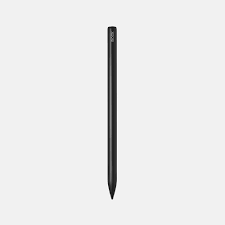
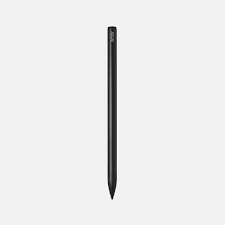
BOOX InkSpire Magnetic Charging Active Stylus – Quick Summary
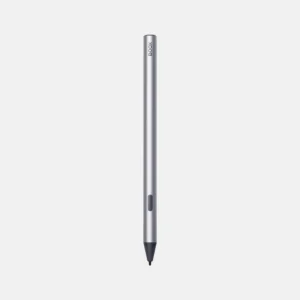
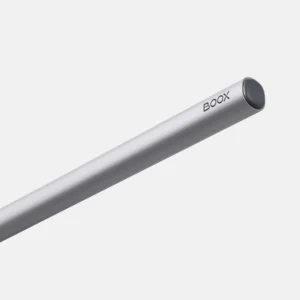
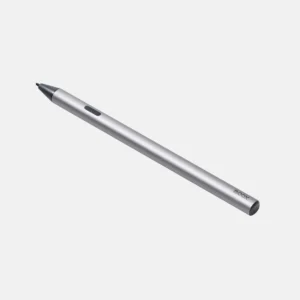
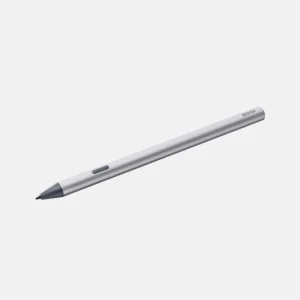
The BOOX InkSpire Magnetic Charging Active Stylus is a premium digital pen designed exclusively for the BOOX Tab X C, offering a paper-like writing feel with haptic feedback. Ideal for professionals, students, and creatives who want precision, comfort, and seamless performance.
🧾 Product Overview
The BOOX InkSpire is a next-generation active stylus built to deliver a realistic writing and drawing experience on E Ink devices. With advanced 4096 pressure levels, tilt sensitivity, and haptic feedback, it mimics the natural feel of pen on paper.
Designed exclusively for the BOOX Tab X C, this stylus ensures perfect compatibility, instant pairing (no Bluetooth), and wireless magnetic charging making it a powerful tool for productivity, note-taking, and creative work.
⭐ Key Features
- 4096 Pressure Levels – Smooth and precise strokes from light to bold
- Tilt Sensitivity – Natural shading and sketching like real pencils
- Haptic Feedback Technology – Real paper-like writing sensation
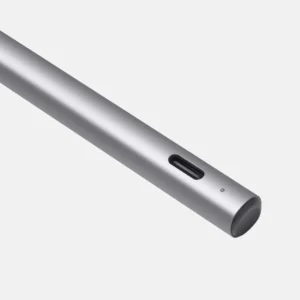
- Magnetic Wireless Charging – Auto-charges when attached to device
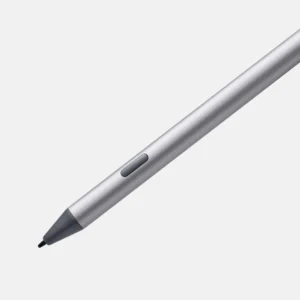
- 1mm Precision Tip – Ultra-accurate writing and drawing
- 80mAh Battery – Long-lasting with on-screen battery display
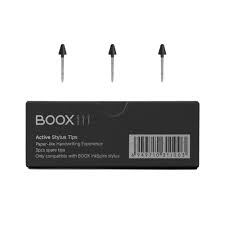
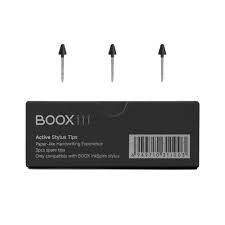
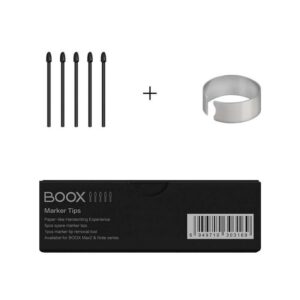
- Replaceable Tips – The nib is user-replaceable; genuine spare tips are sold separately in a 3-pack
- No Bluetooth Required – Instant pairing with Tab X C
✅ Benefits – Why Choose BOOX InkSpire?
- Feels like real writing → Haptic feedback adds tactile realism
- Zero setup hassle → No Bluetooth, no pairing issues
- Always charged → Magnetic attachment keeps it powered
- Built for professionals → Ideal for engineers, designers, students
- Exclusive optimization → Works flawlessly with Tab X C display
👉 Unlike generic styluses, the InkSpire is precision-engineered for BOOX’s E Ink technology, ensuring unmatched responsiveness and accuracy.
💼 Use Cases
Perfect for a wide range of applications:
- 📓 Digital note-taking & journaling
- 🧑💼 Business meetings & document annotation
- 🎨 Sketching, illustration & creative design
- 📐 Technical drawings (engineering, architecture)
- 📚 Studying, highlighting, and PDF markup
⚡ Quick Specs (Key Highlights)
- Pressure Sensitivity: 4096 levels
- Tilt Support: Yes (360° recognition)
- Tip Size: 1mm precision nib
- Battery: 80mAh Li-polymer
- Charging: Magnetic wireless charging
- Weight: ~15g (lightweight)
- Diameter: 8.6mm ergonomic grip
- Connectivity: No Bluetooth required
- Compatibility: Only with BOOX Tab X C
🔌 How Does Charging Work?
Simply attach the stylus to the magnetic side of the BOOX Tab X C. It automatically starts charging, and a battery indicator appears on the screen—no cables needed.
❓ Frequently Asked Questions (FAQ)
Is the BOOX InkSpire compatible with other BOOX devices?
No, it is exclusively designed for the BOOX Tab X C and does not work with other BOOX models.
Does the stylus require Bluetooth connection?
No, it connects instantly without Bluetooth, ensuring a seamless experience.
How long does the battery last?
The 80mAh battery provides long usage and stays charged via magnetic attachment during regular use.
What makes this stylus different from regular styluses?
It offers haptic feedback, wireless charging, and optimized E Ink performance, which most generic styluses lack.
Can I replace the stylus tips?
Yes. The nib is user-replaceable — we stock genuine InkSpire spare tips in a 3-pack, sold separately. Spare tips are not supplied in the stylus box.
Is it good for drawing and professional work?
Absolutely. With tilt support and high pressure sensitivity, it’s ideal for artists, designers, and engineers.
Absolutely. With tilt support and high pressure sensitivity, it’s ideal for artists, designers, and engineers.
🎯 Final Verdict
The BOOX InkSpire Stylus is not just an accessory—it’s a high-precision digital writing tool built for serious productivity and creativity. If you own a BOOX Tab X C, this stylus unlocks its full potential with natural writing, seamless charging, and professional-grade performance.
 No products in the cart.
Reviews
There are no reviews yet.